
How do I know when my subscription expires? How can I renew it?
Your subscription details live in your account, and you can reach them at any time. The same page tells you when your subscription ends and lets you renew it, change your plan, or update your card.
Find your subscription details
Section titled “Find your subscription details”Click the three dots next to your name, at the bottom of the left menu.
Click “My subscription”.
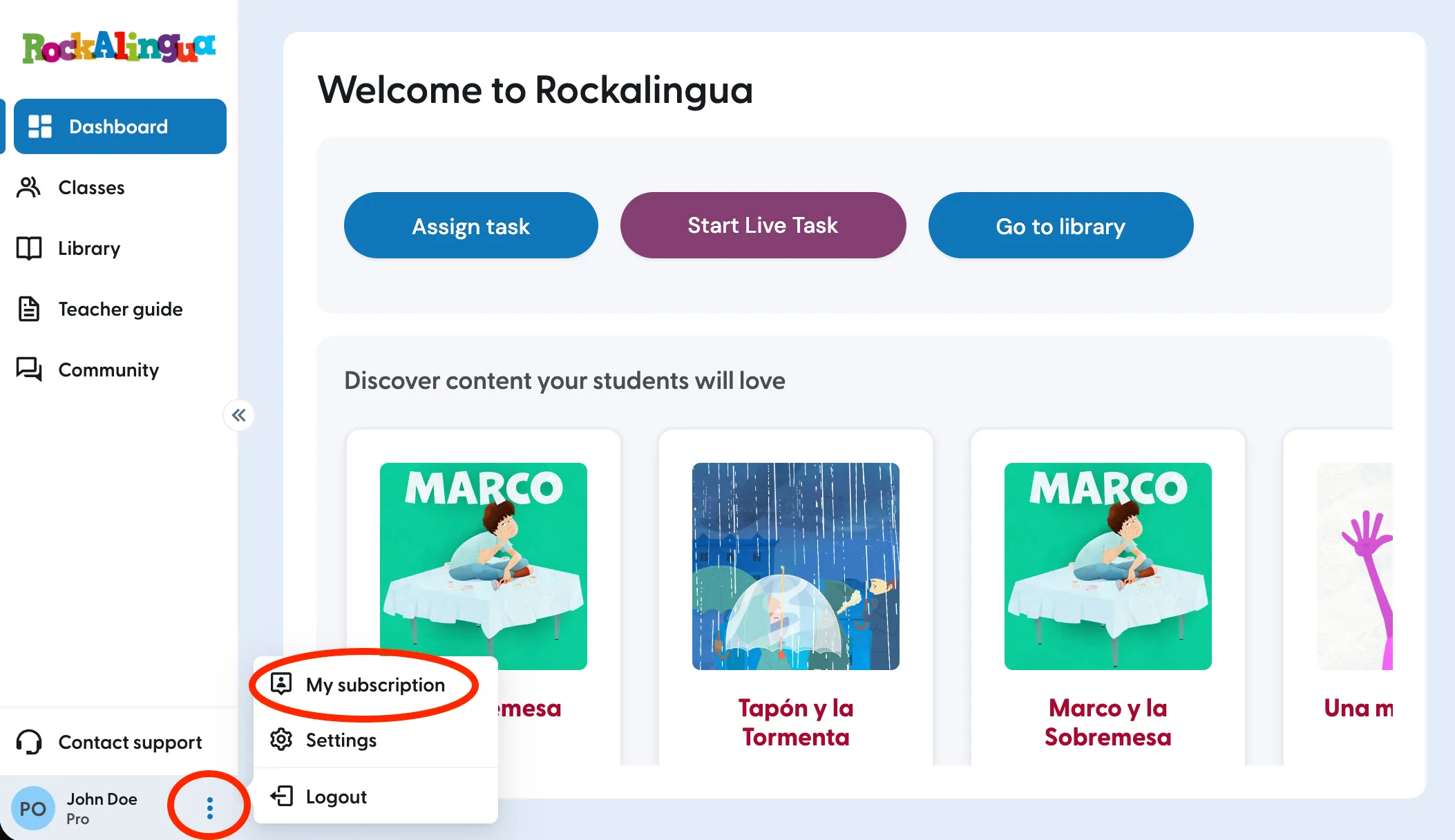
What you see next depends on whether your subscription renews on its own. Both versions of the page are explained below, so look for the one that matches yours.
If your subscription does not renew automatically
Section titled “If your subscription does not renew automatically”You will see “Expires on”, followed by the date your access ends and how much time is left, so you can see at a glance whether you need to act before the next term starts.
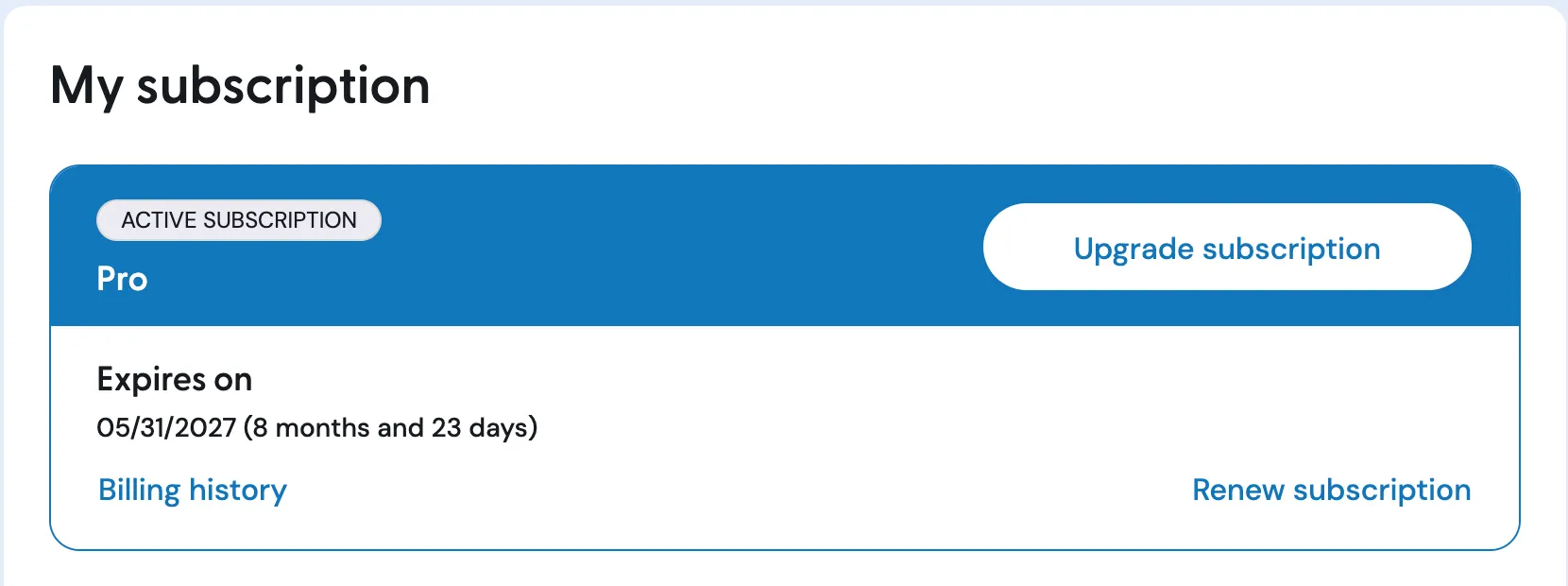
Click “Renew subscription” to extend your subscription. You can review or change your payment details as part of this.
Click “Upgrade subscription” to move to a different plan or a different billing cycle.
Important: Nothing is charged automatically with this kind of subscription. If you do not renew before the date shown, your access ends on that date.
If your subscription renews automatically
Section titled “If your subscription renews automatically”You will see the price you pay, the date of your next payment, how often you are billed, and the last four digits of the card you are paying with.
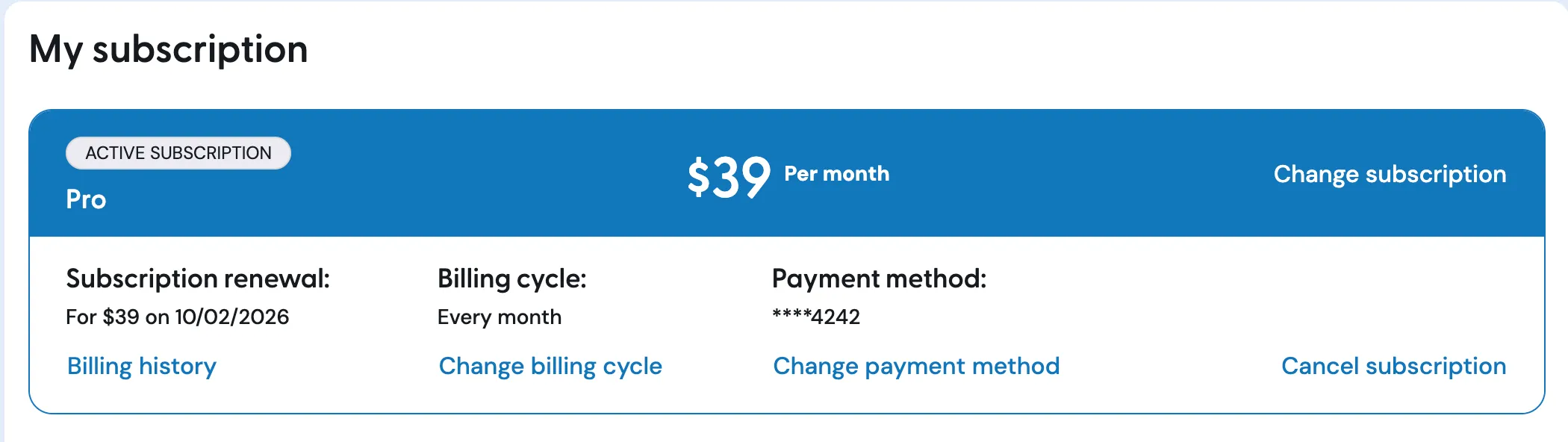
From this page you can:
- Click “Change subscription” to move to a different plan.
- Click “Change billing cycle” to switch between paying monthly and paying annually.
- Click “Change payment method” to pay with a different card.
- Click “Cancel subscription” to stop the automatic renewal. You keep your access until the date you have already paid for.
Find your invoices
Section titled “Find your invoices”Click “Billing history” to see your past payments and download your invoices. This link appears on the subscription page whichever version you have.
Paying another way
Section titled “Paying another way”If you would rather pay by payment order or bank transfer instead of by card, or you want to know more about the billing cycles we offer, read Payments & Billing Cycles.
Still not sure what you are paying for, or when? Write to us at support@rockalingua.com and we will check your account for you.