
How do I delete a task?
Important:
- Deleting a task is permanent. This action cannot be undone.
- When you delete a task, any student progress for that task will also be deleted.
To delete a task:
-
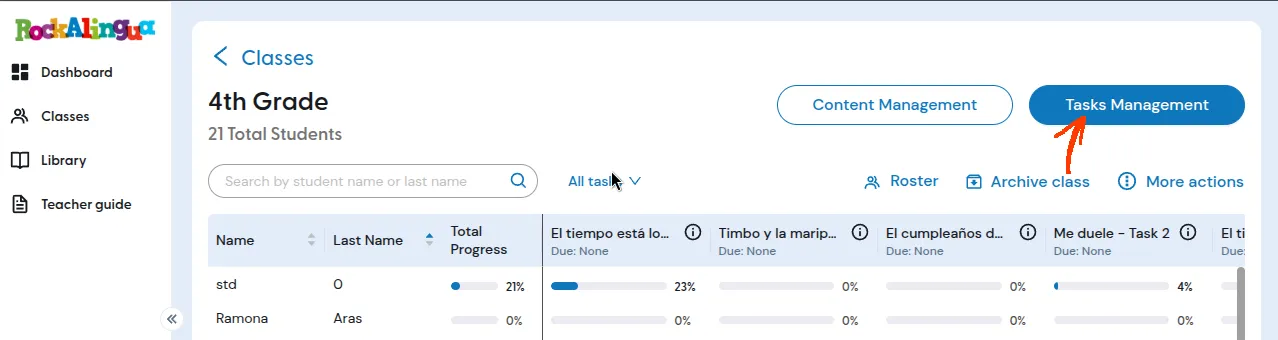
Go to the class that has the task you want to delete.
-
Click ‘Tasks Management’.
-
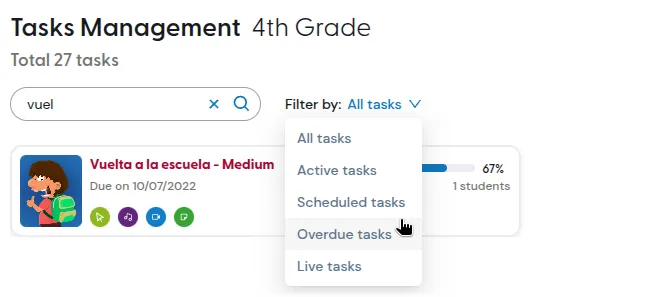
Find the task you want to delete. You can use the search box or the filters to narrow the list.
-
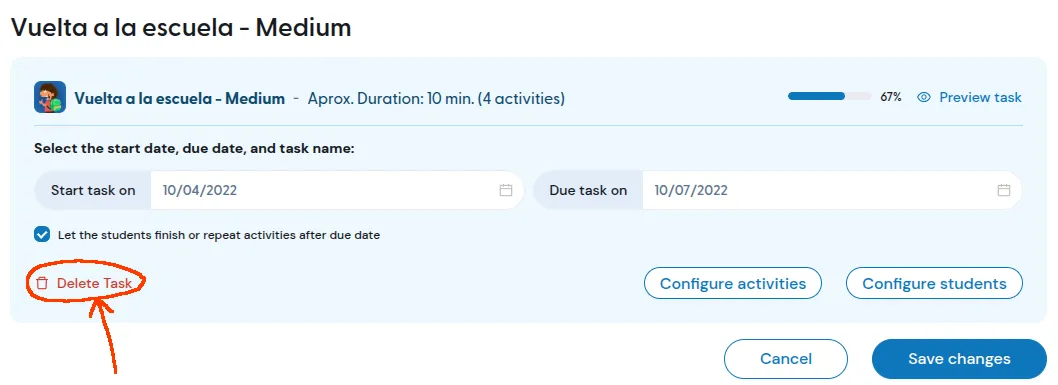
Click the task you want to delete.
-
Click ‘Delete Task’.
-
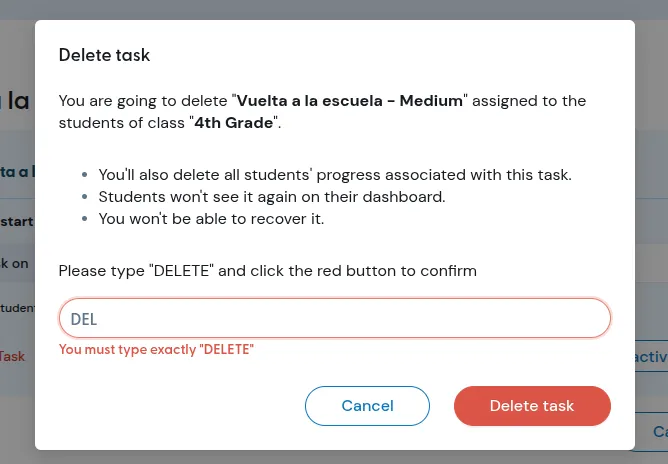
Type DELETE to confirm.
-
Click “Delete Task” again.
The task will be removed from the class, and students will no longer see it.
If you are not sure whether you may need the students progress later, do not delete the task.