
How do you join a class with an invite code (Instructions for students)
How to join your class
Section titled “How to join your class”-
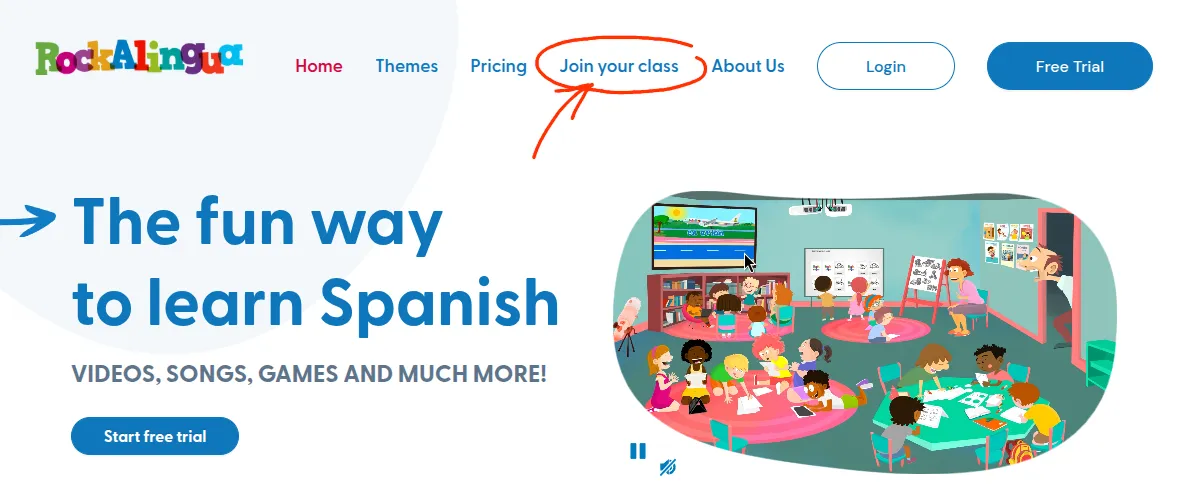
Go to the Rockalingua home page
-
Click “Join your class”
-
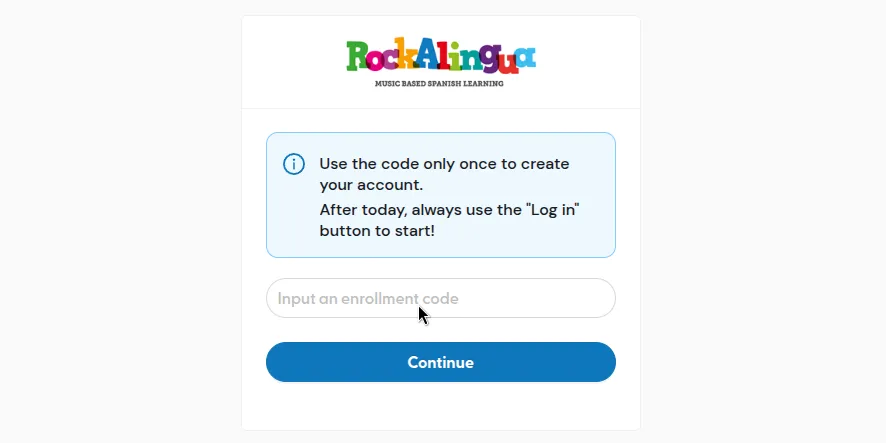
Copy the invite code in the input box
-
Click “Continue”
-
Fill in:
- Your name
- Your last name, or the initial of your last name
- A password with at least 4 letters or numbers
- The same password again (this is to make sure you remember it)
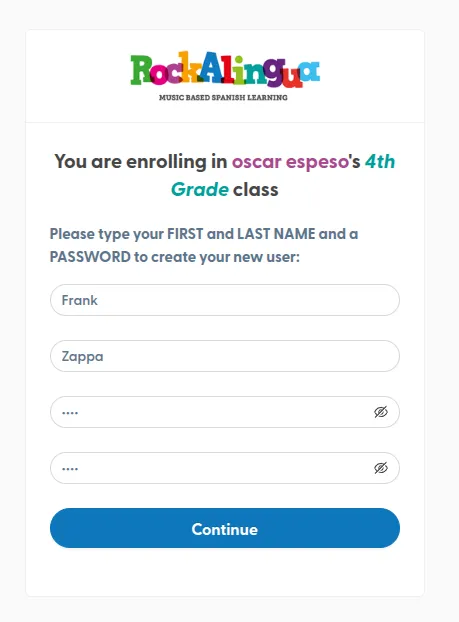
Your teacher may want you to use your last name initial instead of your full last name. Follow their instructions. If in doubt ask them.
-
Click “Continue”.
-
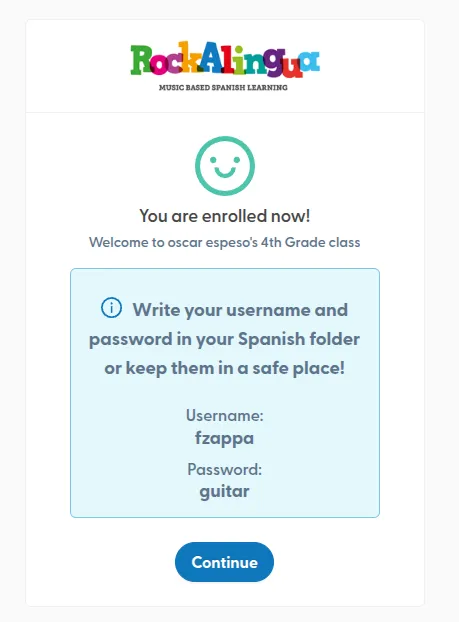
Copy your username and password to a safe place
-
Click “Continue”
Congratulations! You succesfully joined your class
VERY IMPORTANT:
Do not use the previous method ever again unless your teacher asks you to.
How to log in from now on?
Section titled “How to log in from now on?”-
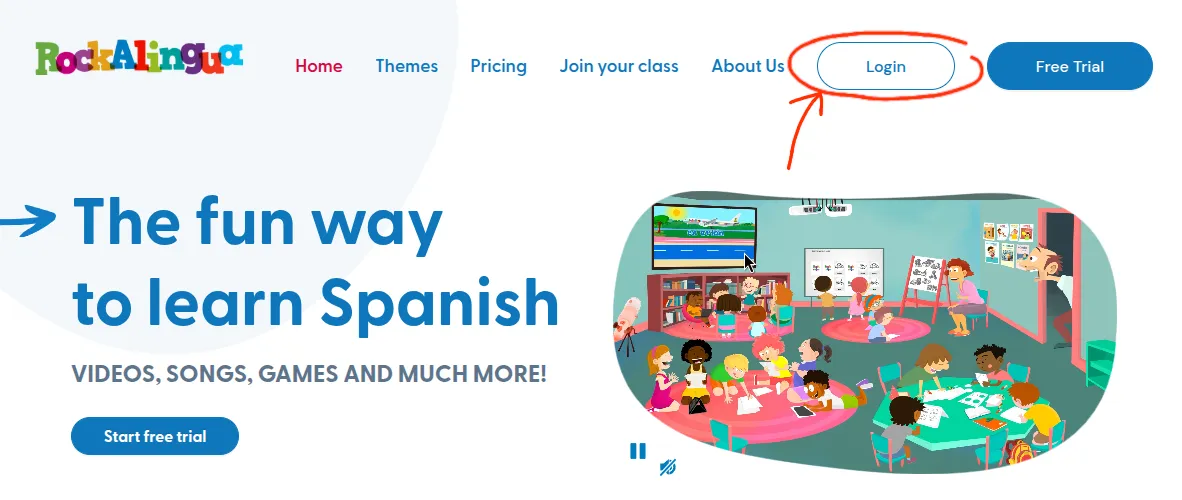
Go to the Rockalingua Home Page
-
Click “Login”
-
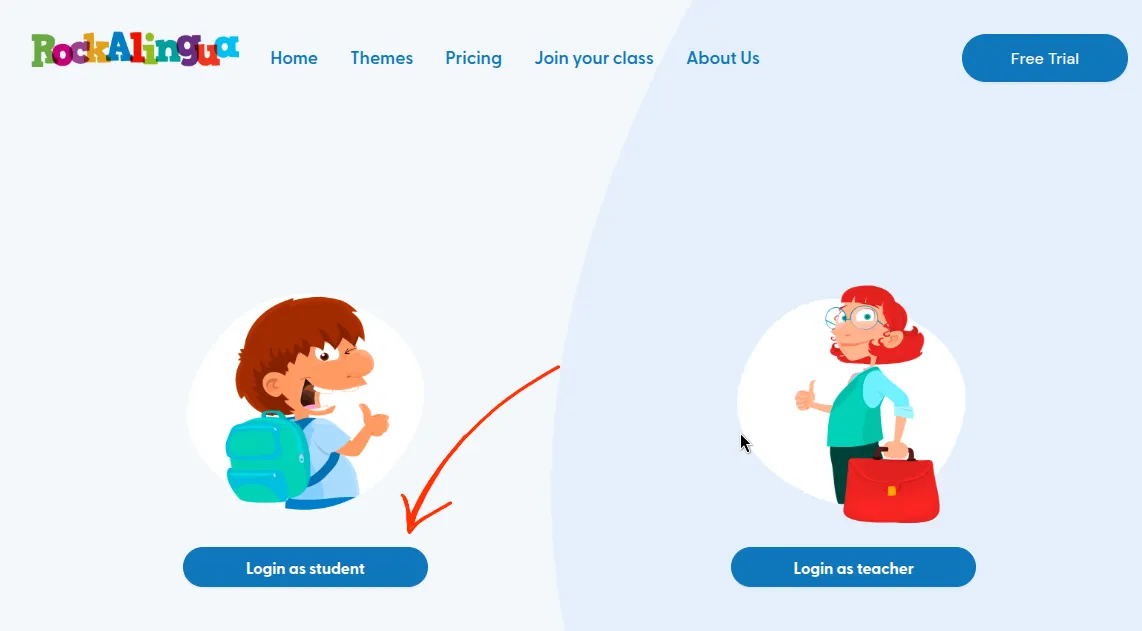
Click “Login as student”
-
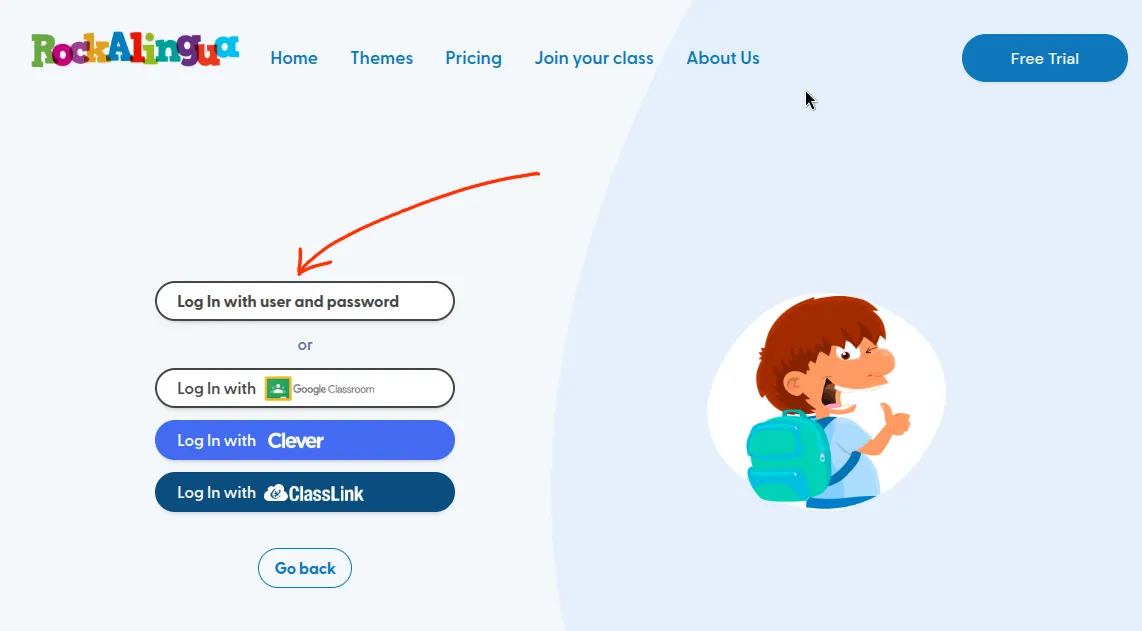
Click “Log in with user and password”
-
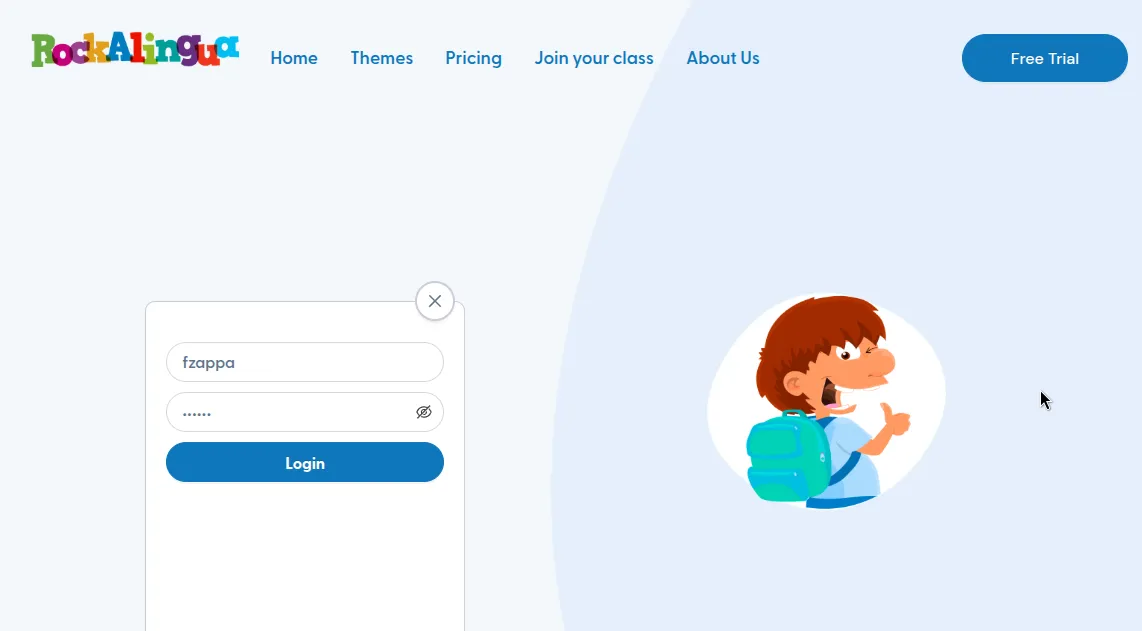
Enter your username and password
-
Click “Login”
That’s it! :)