
How can I see a detailed log of a student's attempts at an activity?
Use the “Log of activity attempts” view to see all the attempts a student has made at an activity.
To open the log for a student’s task activity:
-
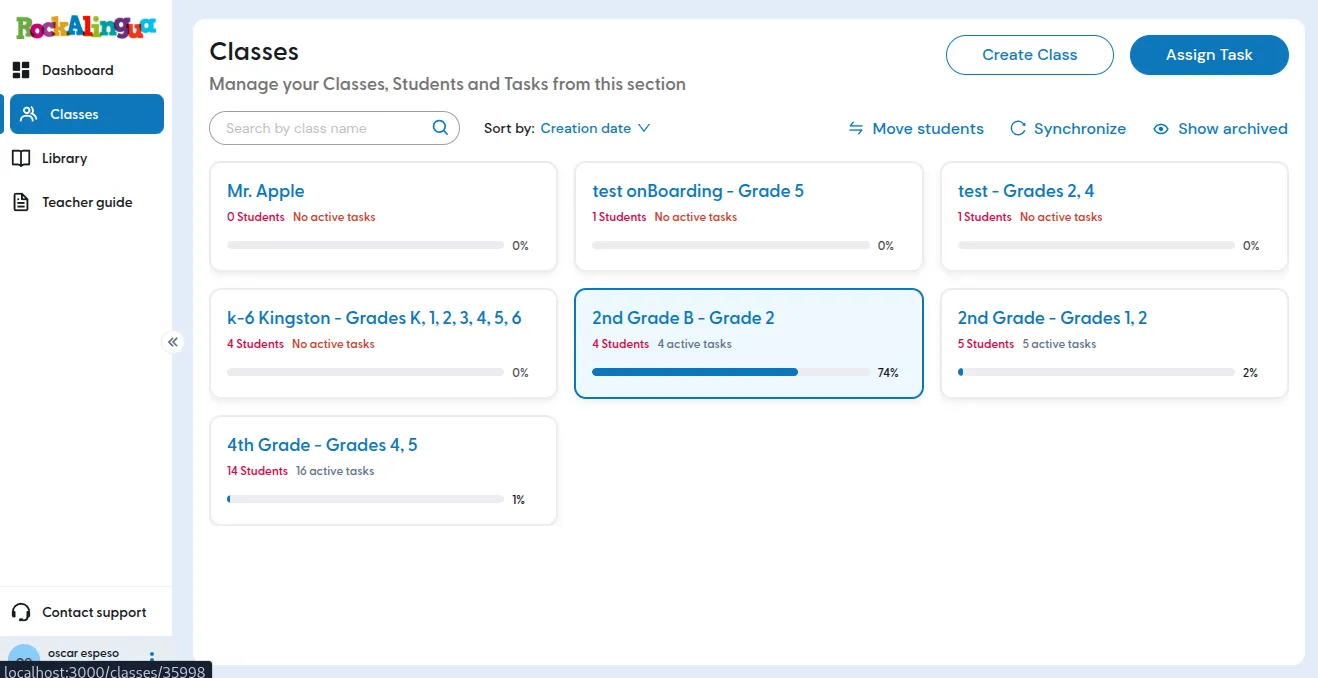
Go to “Classes”.
-
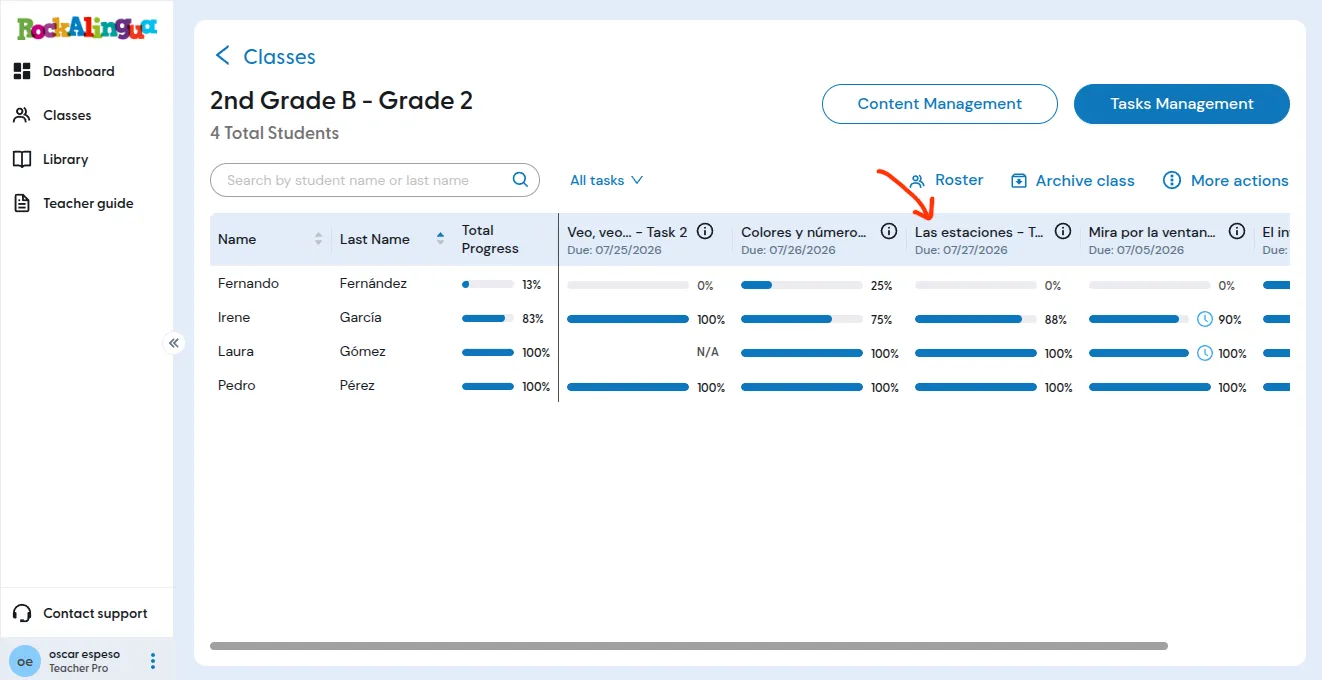
Click the class you want to review.
-
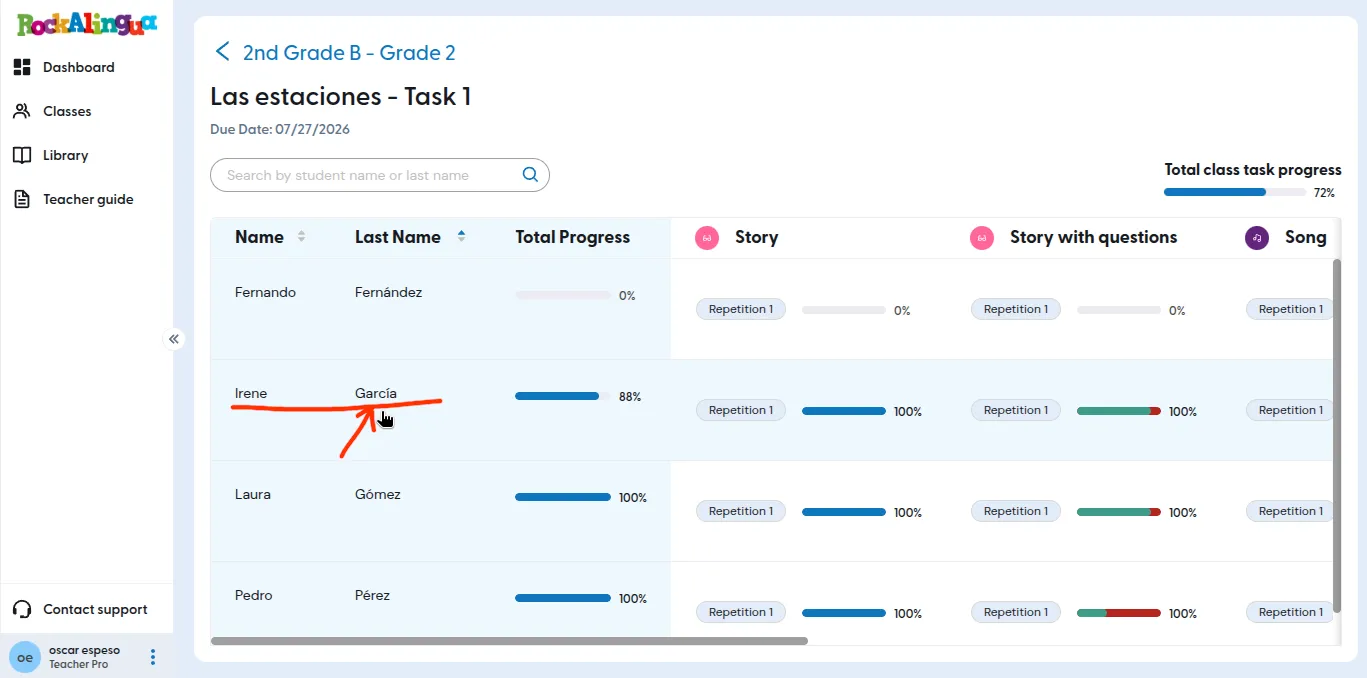
Click the task name in the table header.
-
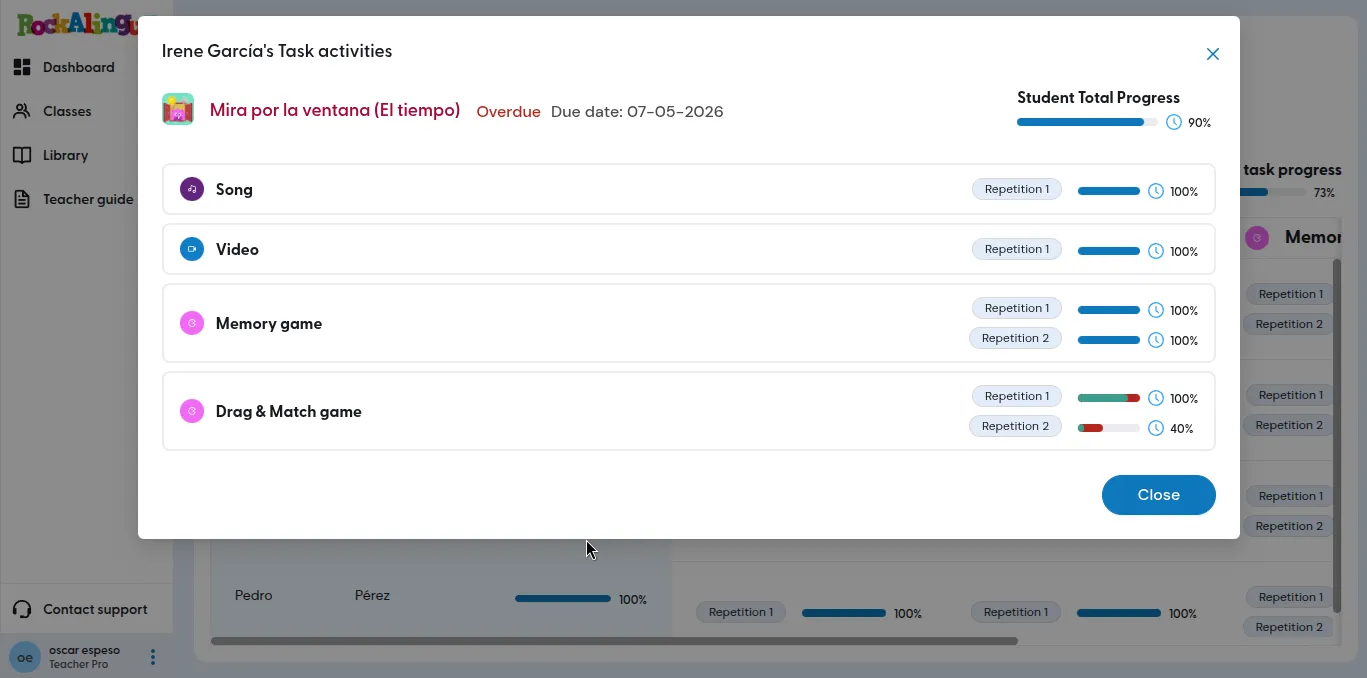
Click the name of the student you want to review.
-
Click the name of the activity you want to review.
-
The student’s activity log will open:
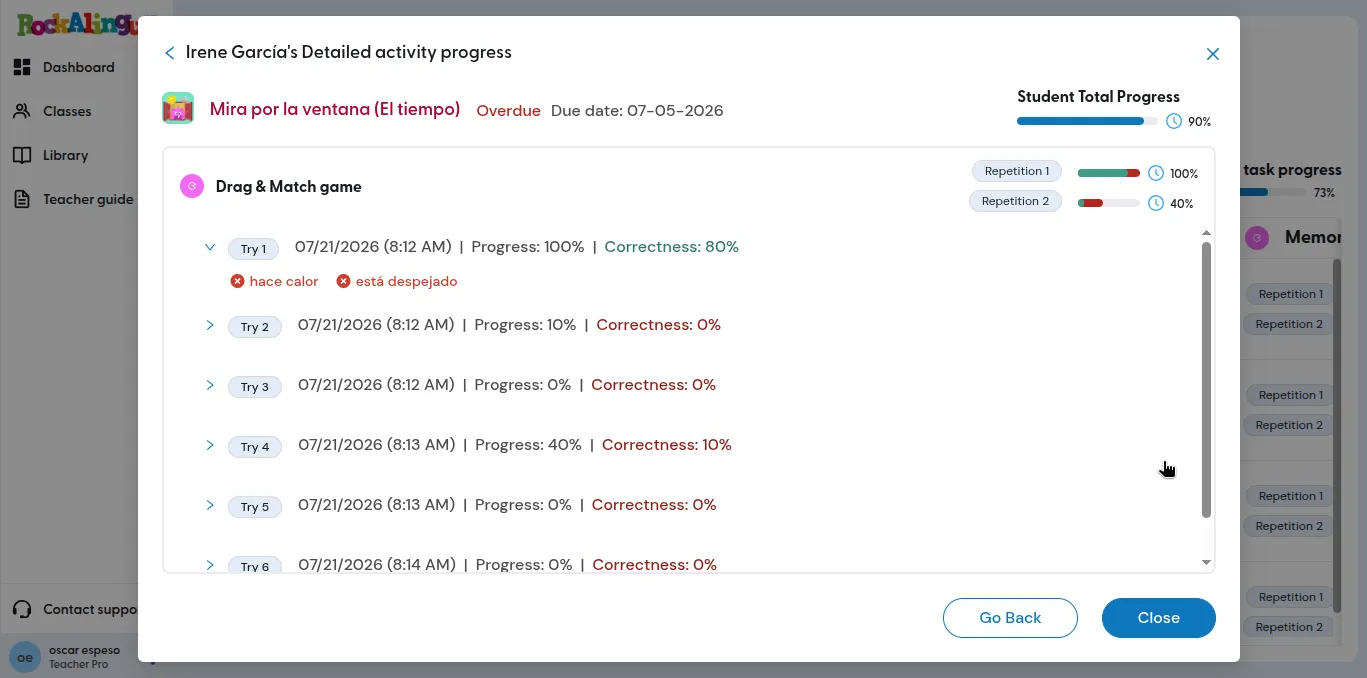
This view shows all the information Rockalingua has recorded about the student’s attempts on this activity:
- Date and time
- Progress
- Correctness, when the activity has right and wrong answers
- Concepts the student missed, when applicable
The view also shows the computed progress for the activity and the selected attempt for each repetition at the top left. Rockalingua selects the attempt with the best progress and correctness scores.
If the log is empty, the student has not attempted the activity.
For a general explanation of how Rockalingua records and displays progress, read How can I track my students’ progress?.