
How do I create a class and add students manually?
You can create a class in Rockalingua and add each student yourself.
This option is helpful for younger students because you can choose their passwords and give them their login information.
Follow this steps:
-
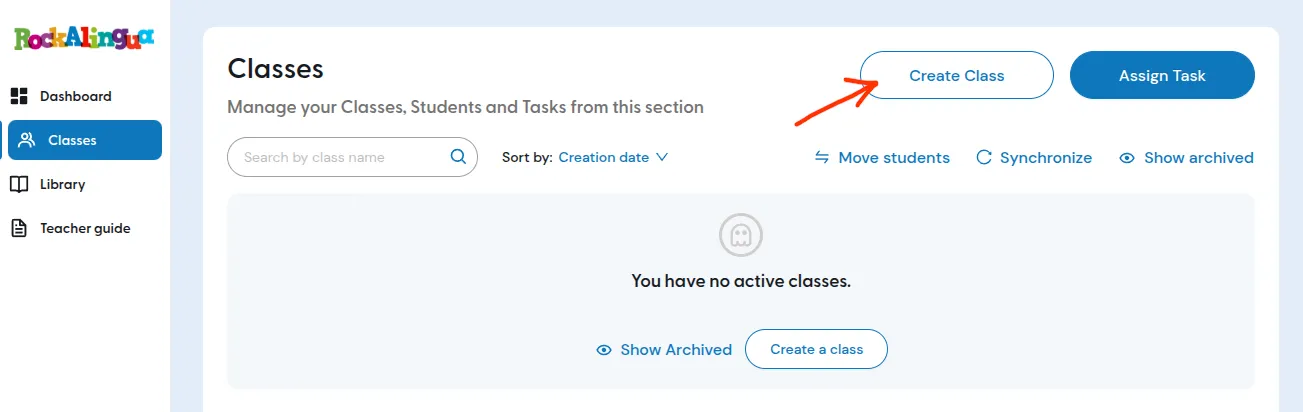
Go to ‘Classes’.
-
Click ‘Create Class’.
-
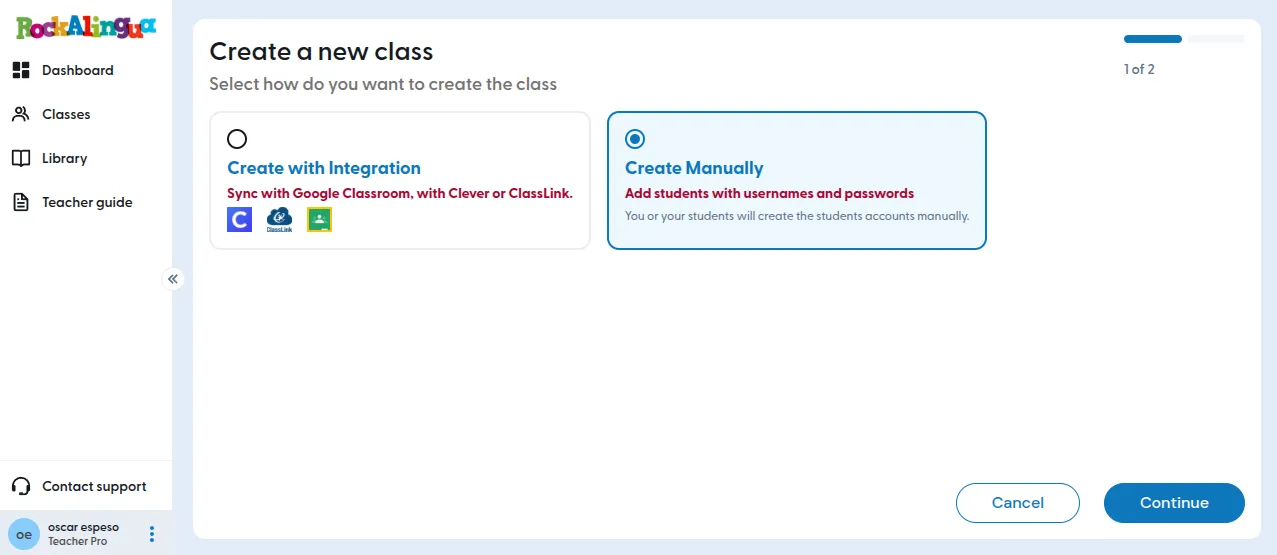
Click ‘Create Manually’.
-
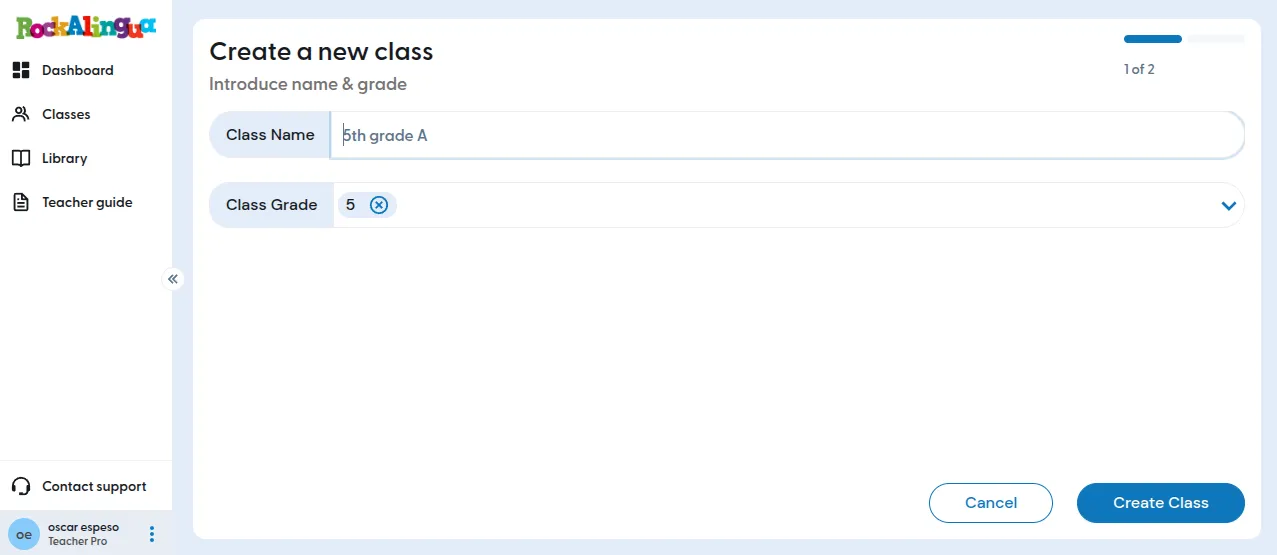
Fill in the class details.
-
Click ‘Create class’.
-
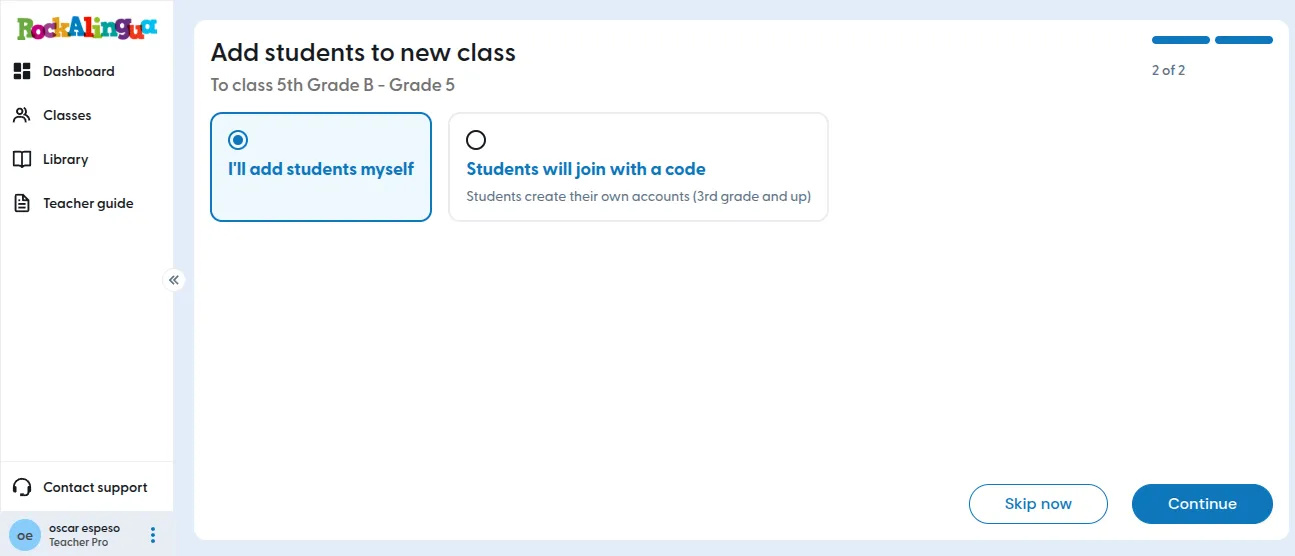
Select ‘I’ll add the students myself’.
-
Type the first student’s first name, last name, and password.
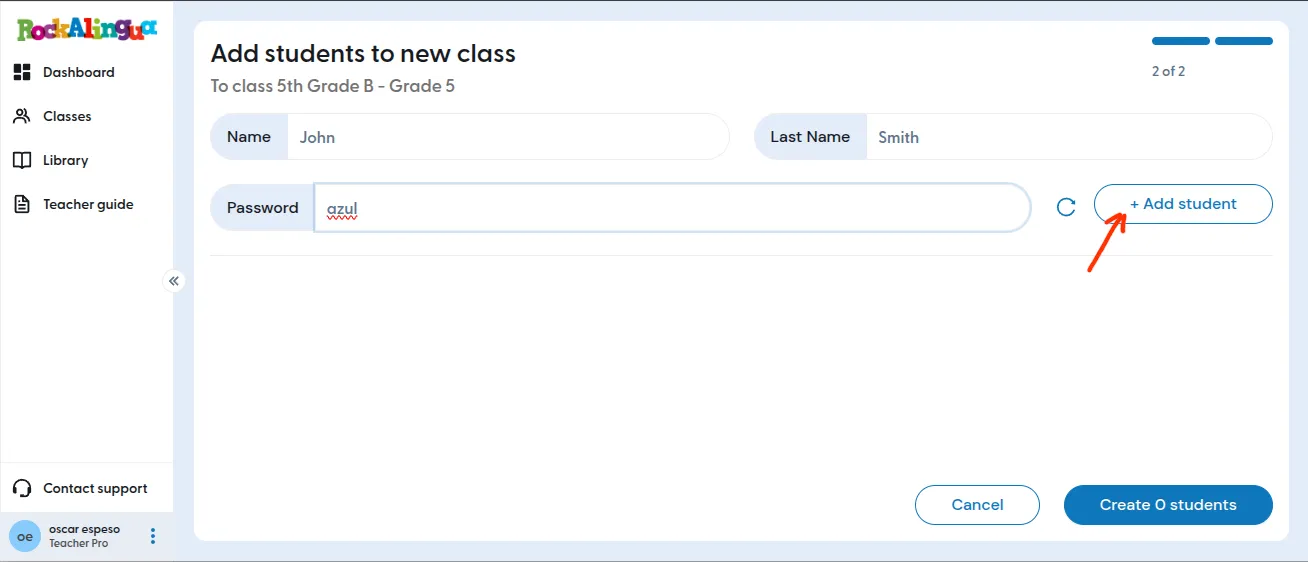
Tip: You can click the rotating arrow

button to create a random password. Rockalingua chooses an easy-to-remember password from a list of simple Spanish words. You can click the button again if you want a different password.
-
Click ‘Add student’ to add that student to the class list.
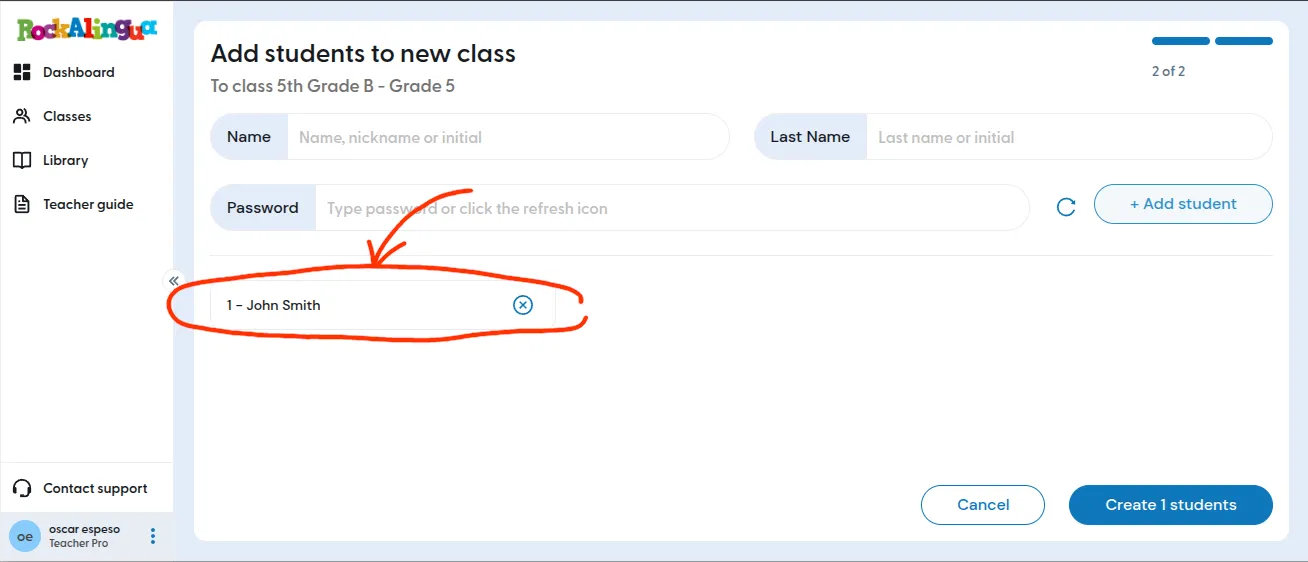
Important: The student is not saved yet. Rockalingua saves all students only when you click ‘Create X students’ at the end.
-
Repeat the same steps for each student you want to add.
-
Click ‘Create X students’ to save all the students you added.
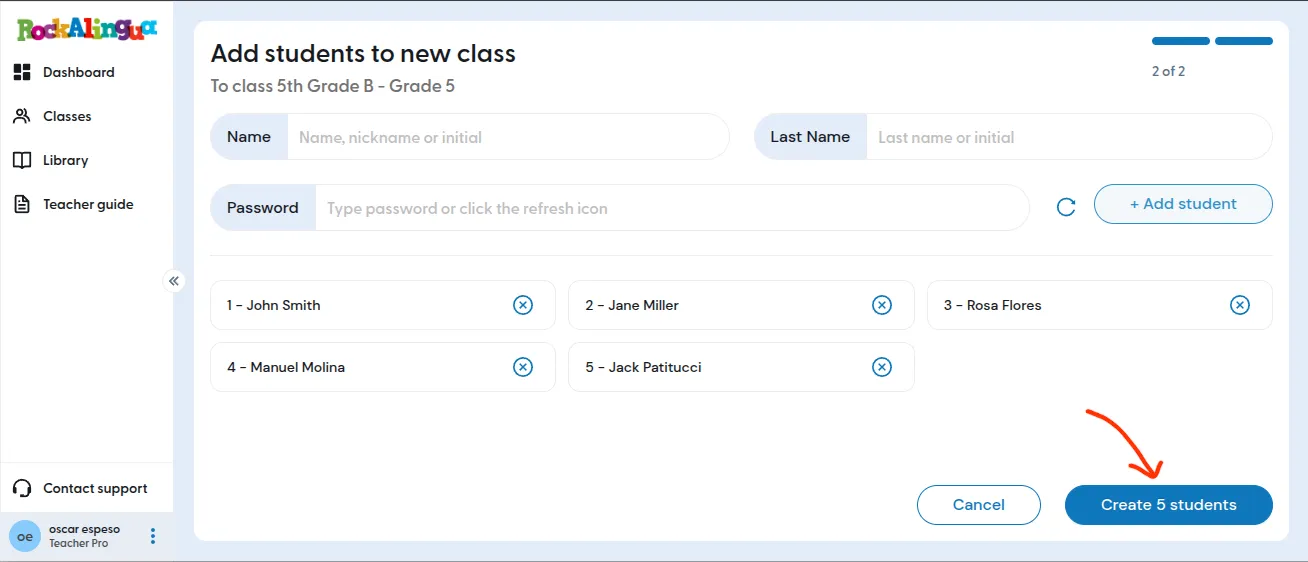
Your class is now created, and your students are saved in the class roster.
You can easily print access instructions for each of them following this guide