
How do I delete a student from a class
You can delete a student from a class in Rockalingua only if the class was created manually.
If the class was added through Clever, ClassLink, or Google Classroom, you will need to remove the student from that platform first. After that, sync the class again in Rockalingua so the change appears there.
To delete a student from a class created manually:
-
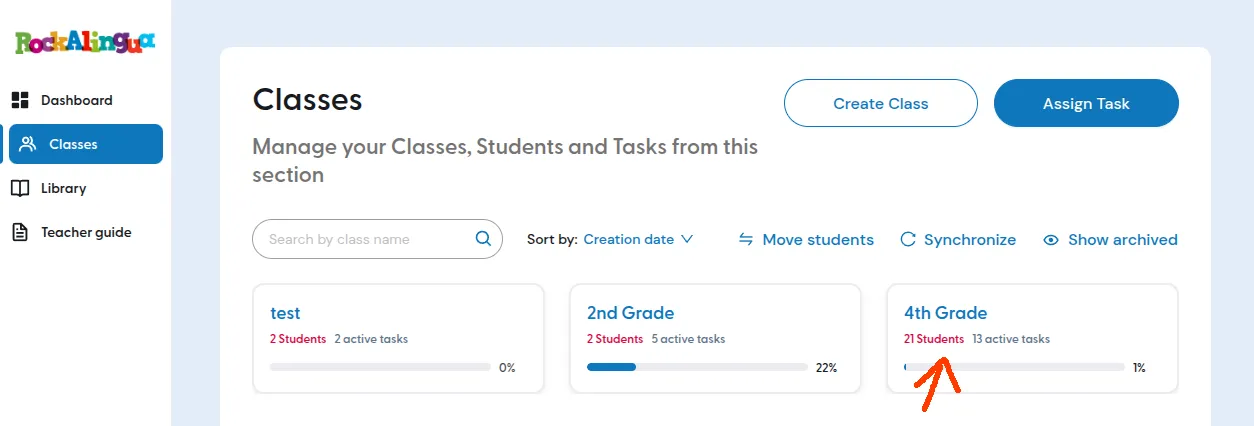
Go to ‘Classes’.
-
Click on the class where the student is enrolled.
-
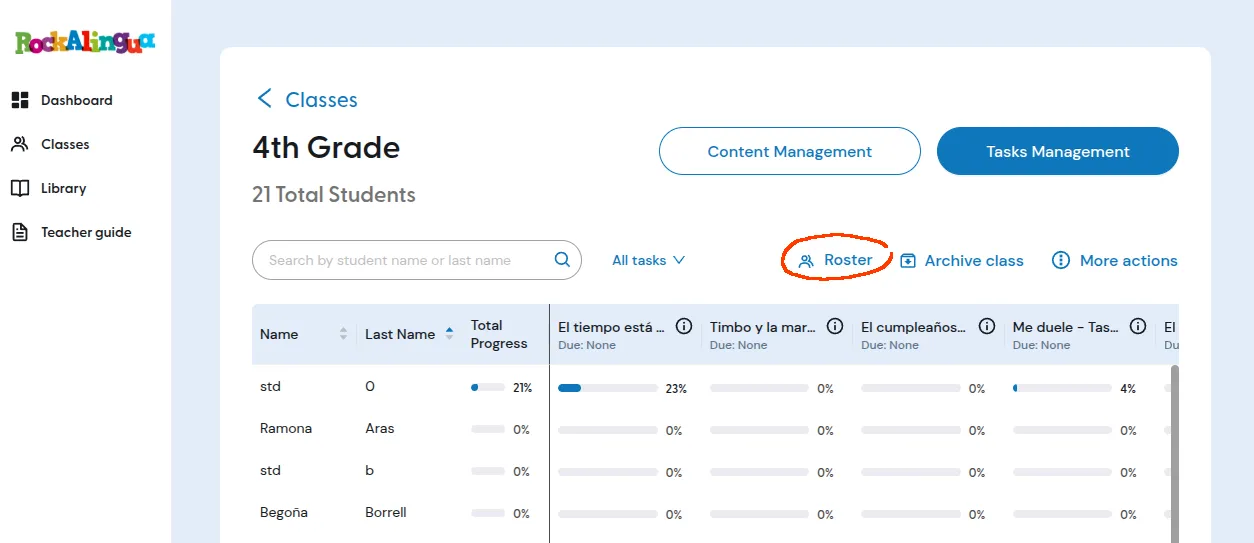
Click ‘Roster’.
-
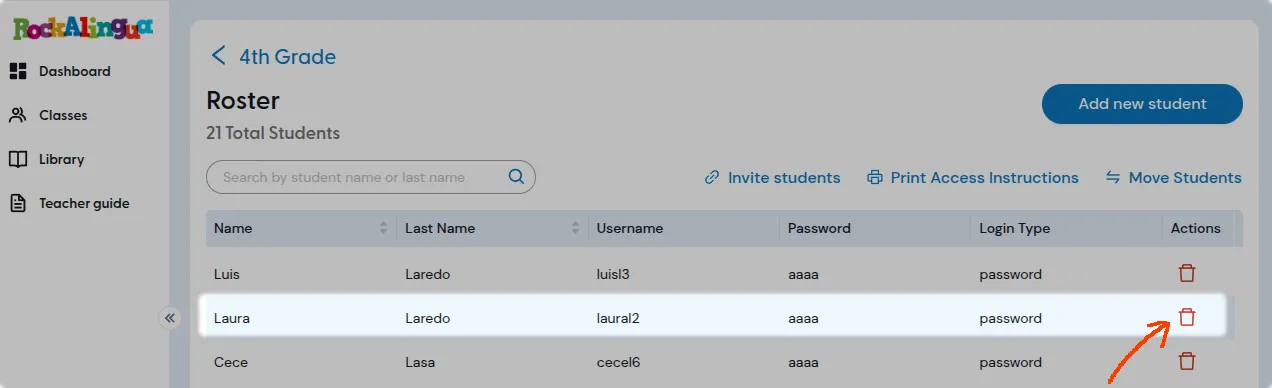
Find the student you want to remove.
-
Click the red trash icon on the right side of the student’s row.
-
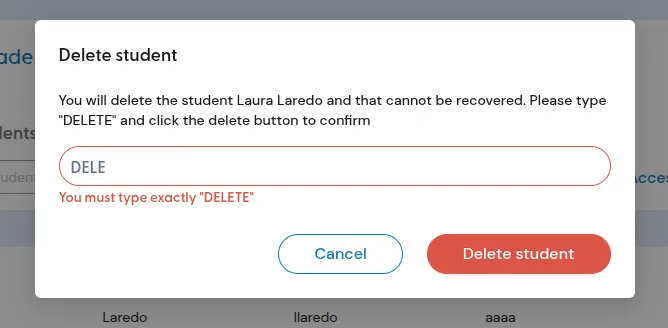
Type DELETE to confirm.
-
Click ‘Delete student’.