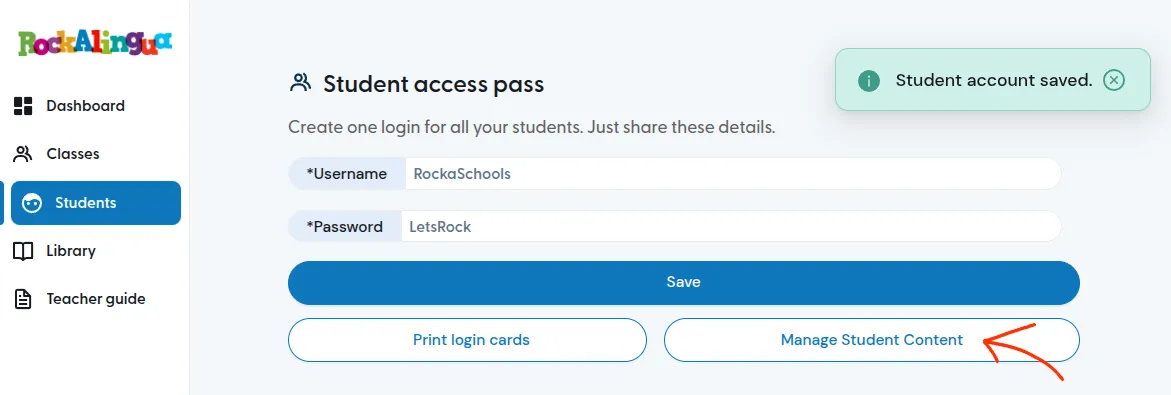
I have a Classroom subscription. How do I let my students use Rockalingua on their devices?
The Classroom subscription lets your students use Rockalingua on their own devices with a shared login.
Do not share your own credentials with your students. Create a Student Access Pass for them instead.
Go to “Students”.
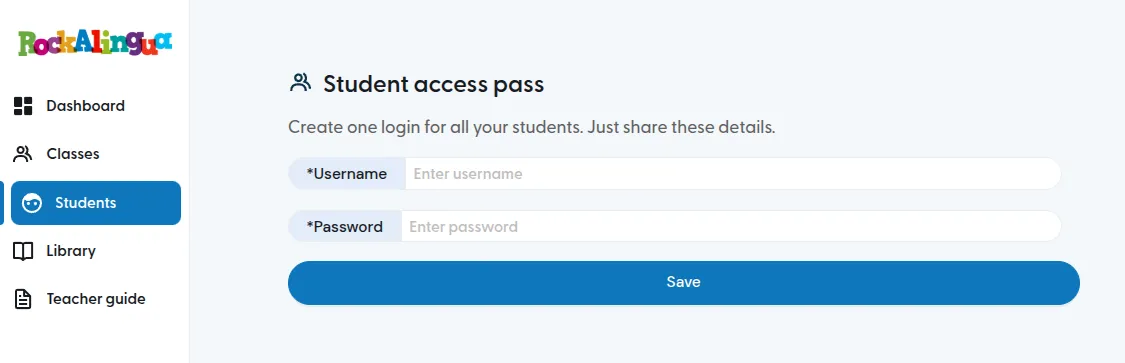
Give them a username and a password.
You may have to try several usernames until you find one that is not already used.
Click “Save”.
That’s it. Now your students can log in using these credentials.
We recommend you print login cards for them.
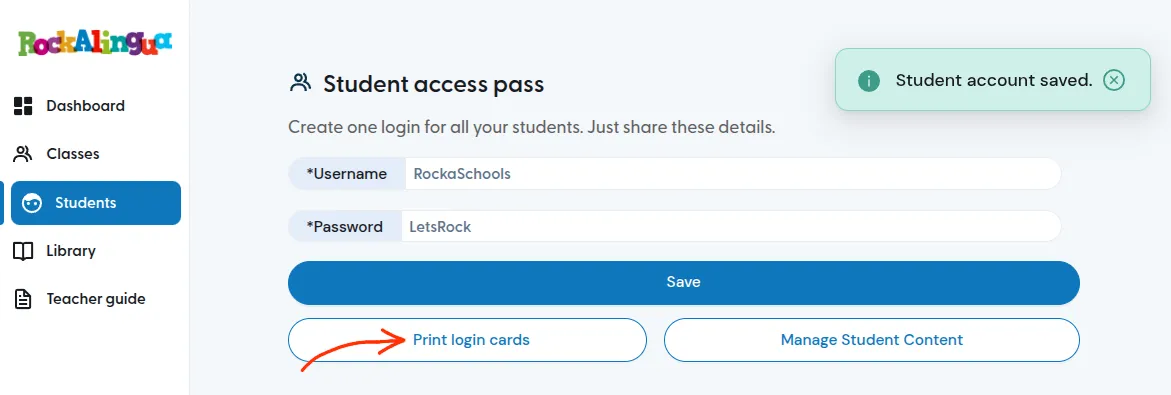
You can cut them out and give one to each student. Tell them to paste the card in their folders and they’ll never forget how to log in. If they have a device with a camera, they can also scan the QR code to log in automatically:
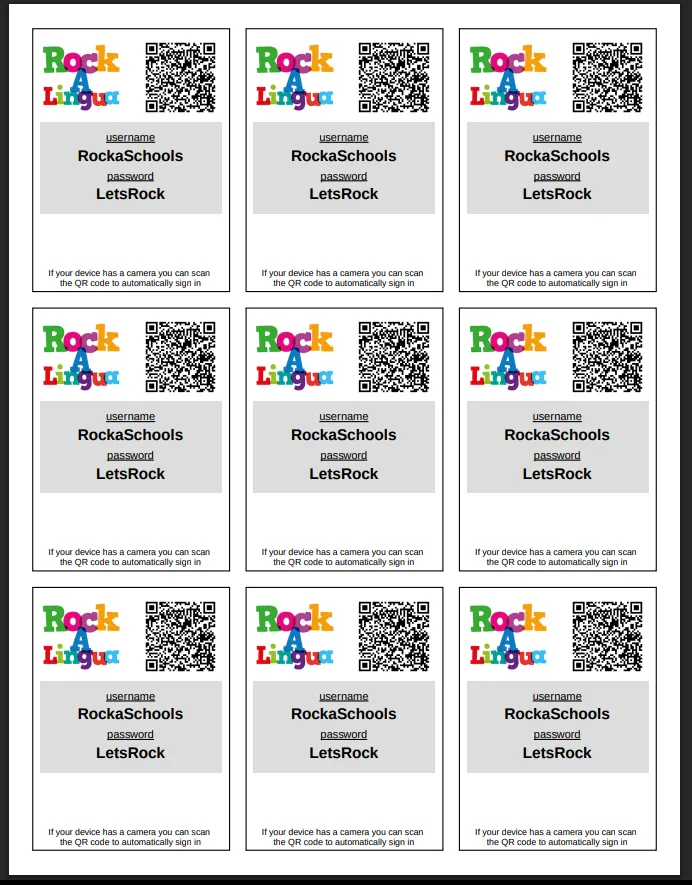
You can also select what content is accessible for them, so they don’t get lost in the tons of content we already have.