
How do I allow or prevent students from completing a task after the due date?
In the new Rockalingua, every task needs a due date. By default, students can still finish or repeat activities after the due date has passed.
We recommend using due dates to help students stay focused and on track. At the same time, allowing students to keep working after the due date can be a helpful learning opportunity.
You can choose whether students are allowed to finish or repeat activities after the due date when you create a task. You can also change this later in the task settings.
To change this setting for an existing task:
-
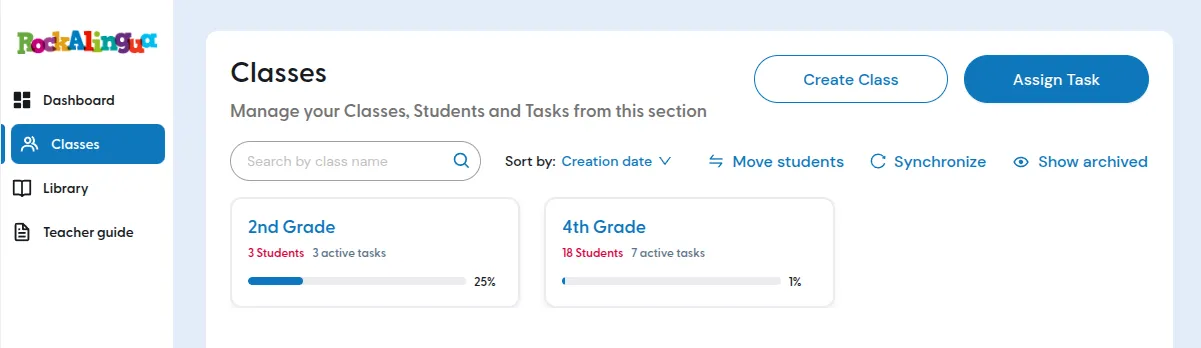
Go to “Classes”
-
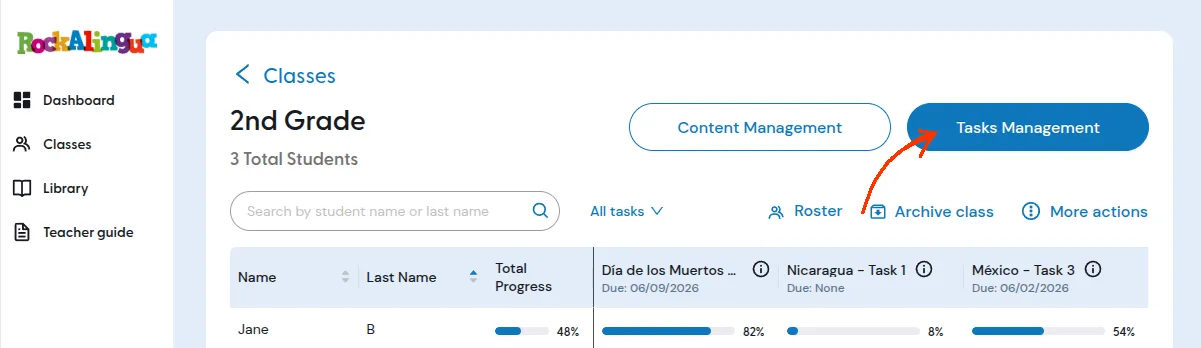
Go to the class where the task was created.
-
Click “Tasks Management”.
-
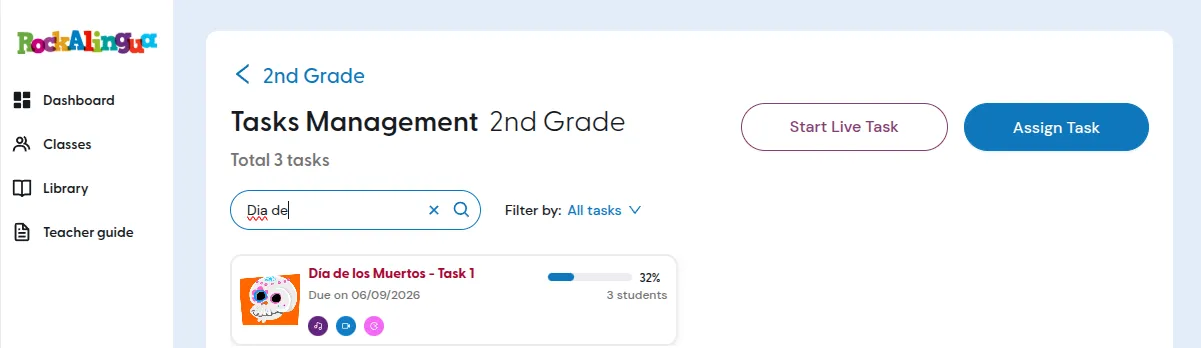
Locate the task you want to change. You can use the search box or filters to narrow the list.
-
Click the task you want to edit.
-
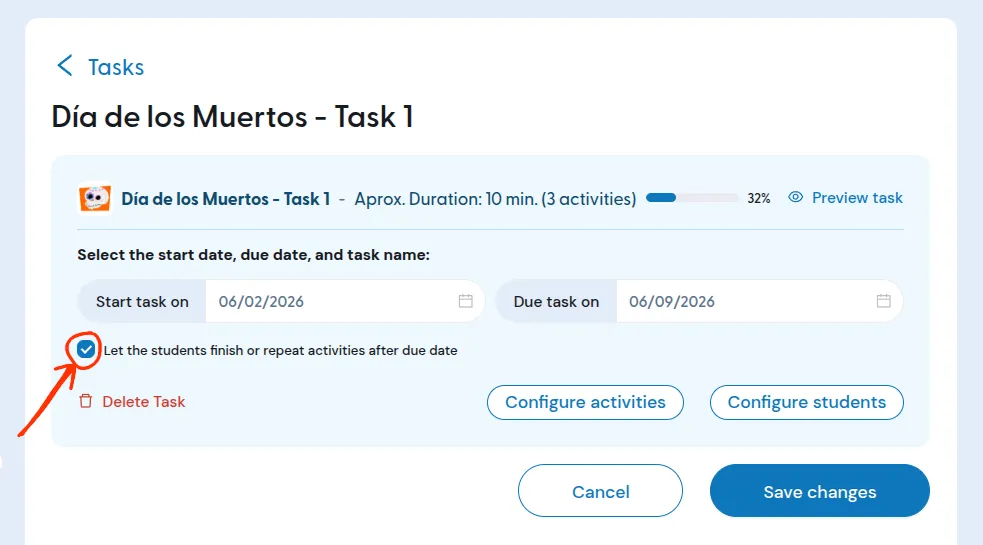
Look for the checkbox below the start date.
-
Choose whether students can finish or repeat activities after the due date.
-
Click “Save changes”.
The task will now use the setting you selected.
If you are creating a new task, you can set this option during task creation. The task creation and task editing screens use the same dialog.