
How can I verify a student's work on a task?
One of your students says they completed a task, but Rockalingua is showing it as incomplete. How can you check what happened and show the student that their work is being tracked correctly?
Rockalingua tracks student progress carefully for each activity in a task.
- For videos and songs, progress is saved as students play the content, at every 20% of the total duration.
- For other activity types, progress is saved with each student answer.
You can review the overall task progress, the progress for each activity, and the attempts the student made.
Let’s work through an example. Let’s say Anna S from your 2nd Grade class says she completed the ‘Día de los muertos’ task, but it does not show as completed.
To check a student’s work:
-
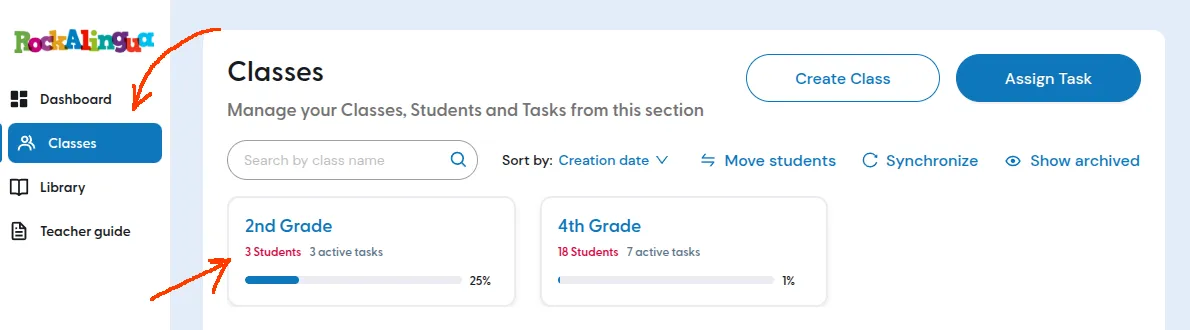
Go to ‘Classes’.
-
Open the class where the student is enrolled.
-
Find the student you want to check.
-
Find the column for the task you want to review.
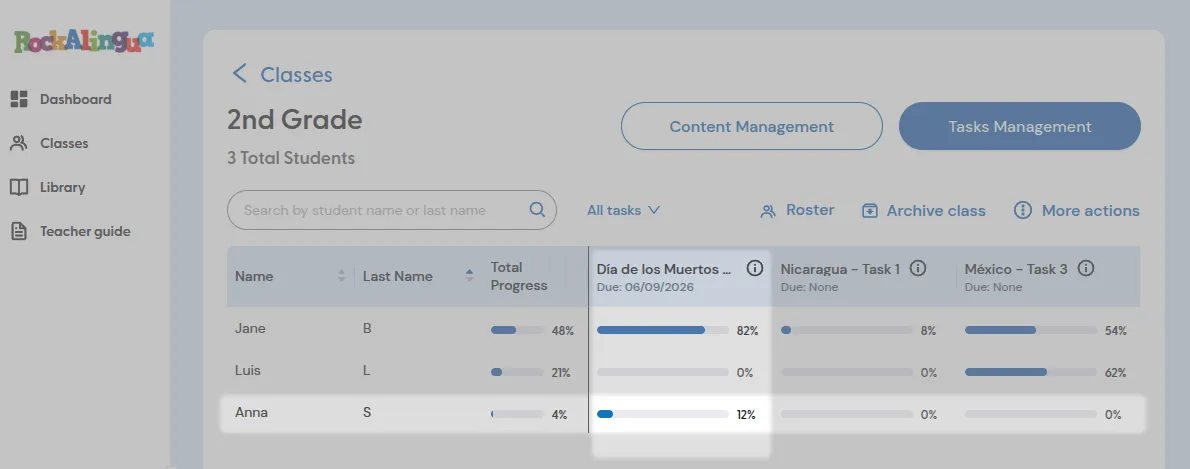
Here you see Anna made 12% of the assigned work.
But you want more detail because she insists she completed the task.
-
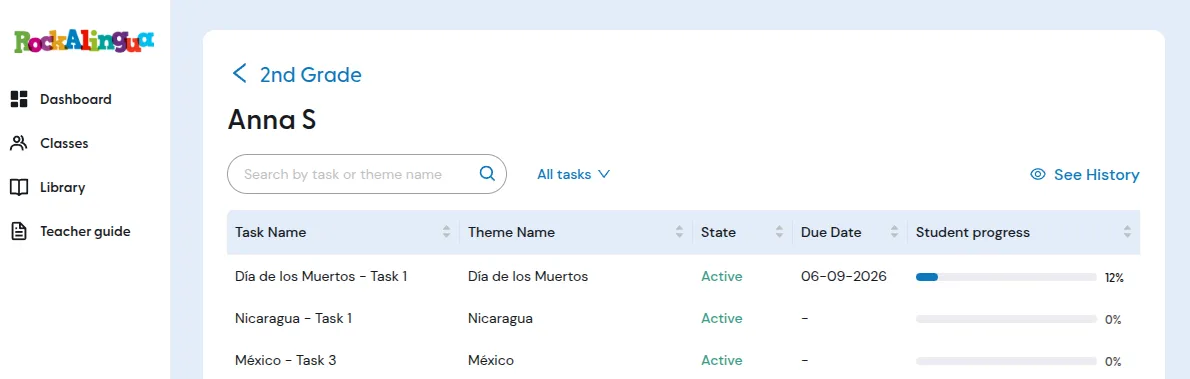
Click the student’s row to see more details.
On this screen, you can see the history of all tasks assigned to the student and their tracked progress.
-
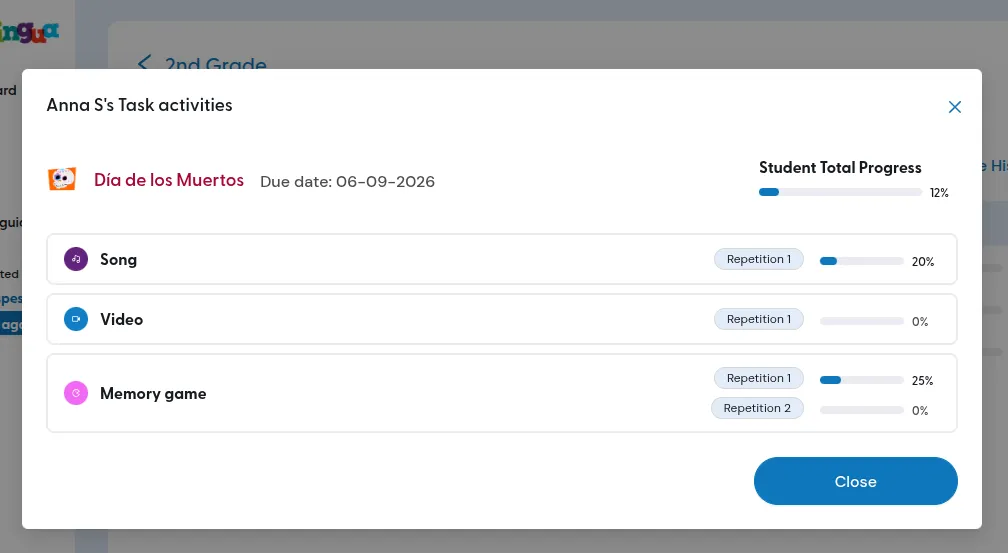
Click on the task you are interested in to get more detail on the student’s claim.
In this screen you’ll see the student’s progress on every assigned activity repetition of the task.
-
Click an activity to see each attempt the student made, when they made it, and what progress they made:
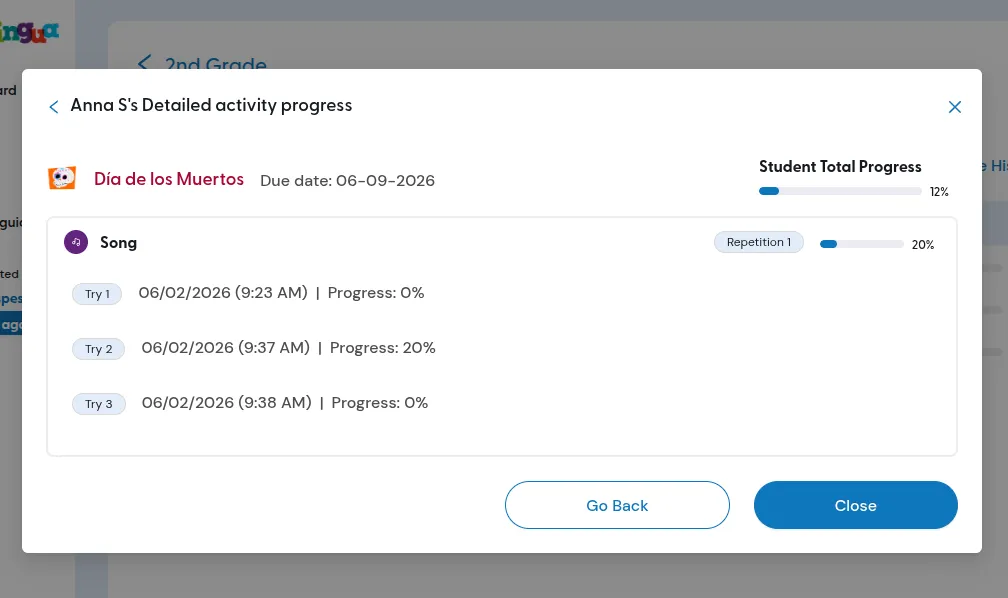
Here you can see that Anna S made three different attempts on the song activity and only on one of them she listened for more than 20% of the song. She never completed this activity.
You can click “Go back” and click on the video now:
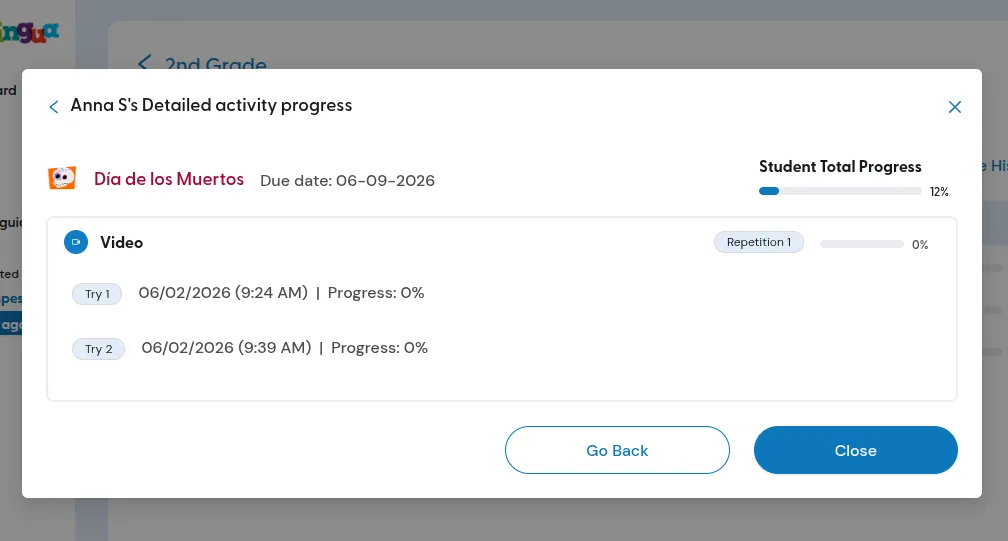
She never watched more than 20% of the video so she didn’t complete this activity either.
If you click “Go back” and click “Memory Game” we can check the detals on the last activity:
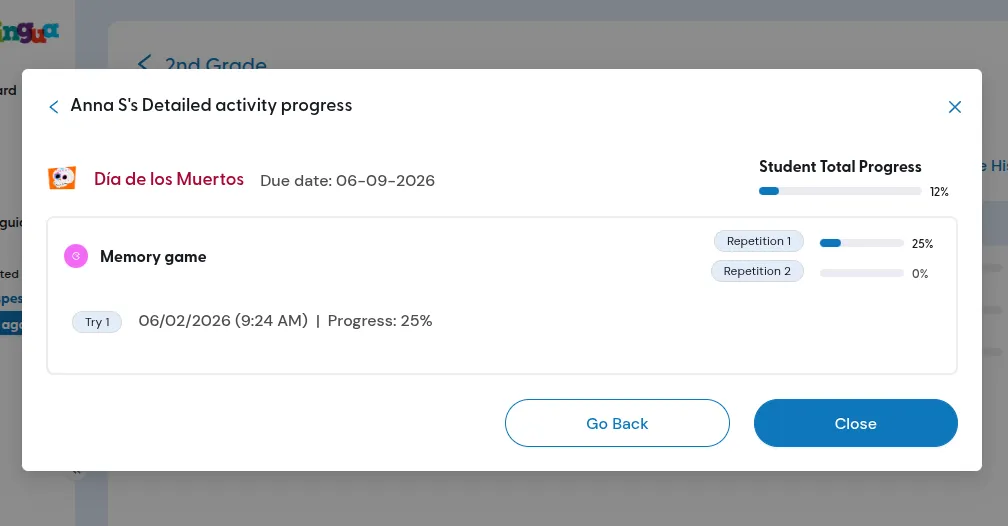
She tried just once and paired only 25% of the cards in the game, so she did not finish this activity either.
It is very rare for student progress not to be saved.
If there is a problem saving progress, Rockalingua will always show the student an error message.
If a student sees that message, they should stop working on the task and tell you.
Then you can contact us so we can help.