
How do I create a class and have students join with an invite code?
You can create a class in Rockalingua and let students join it themselves with an invite code.
An invite code is a short code students use to join your class. When they use it, they will enter their name, last name or last initial, and a password.
To create the class
Section titled “To create the class”-
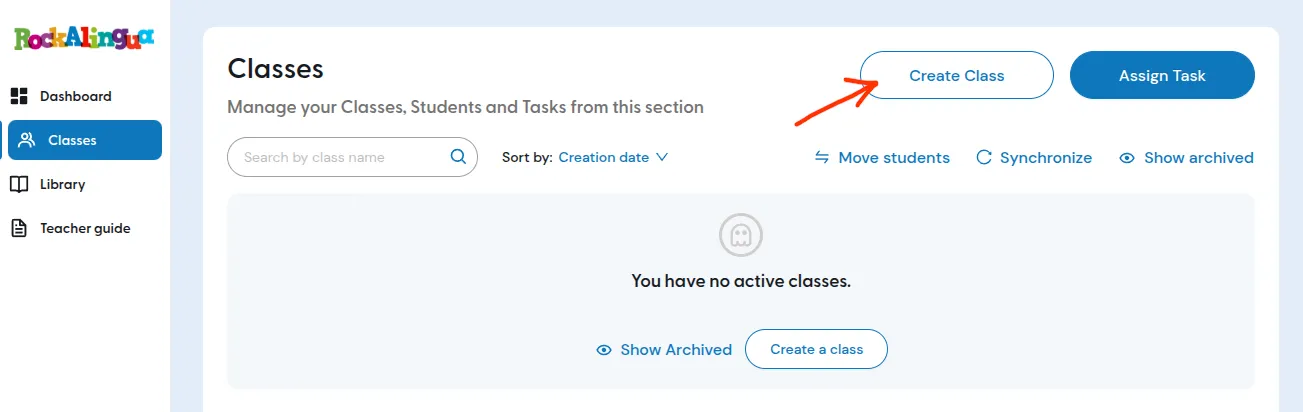
Go to “Classes”
-
Click ‘Create Class’.
-
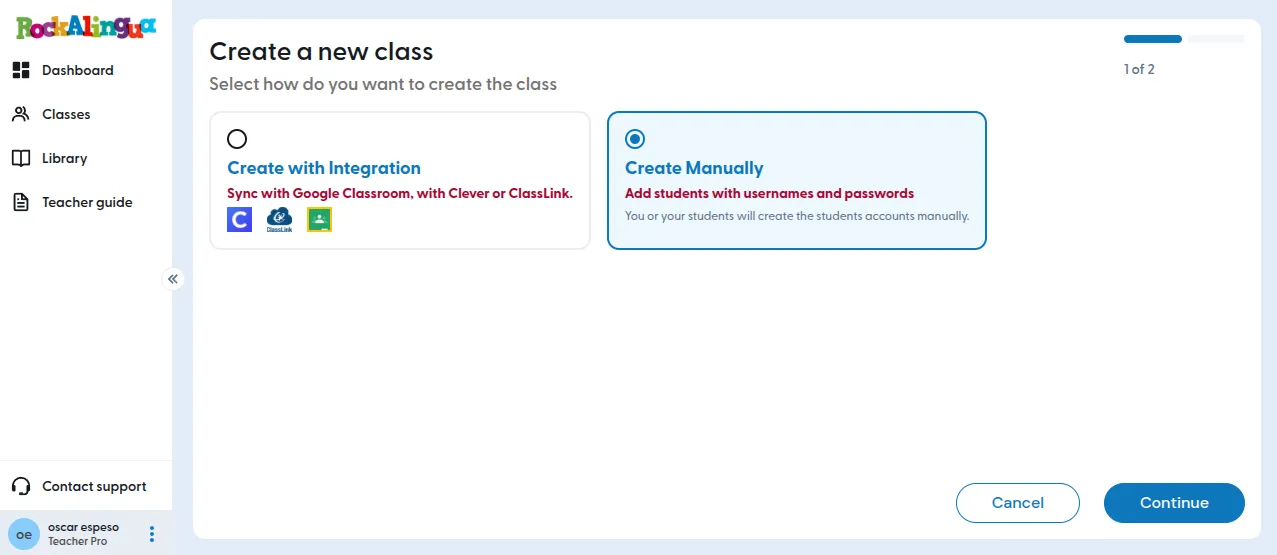
Click ‘Create Manually’.
-
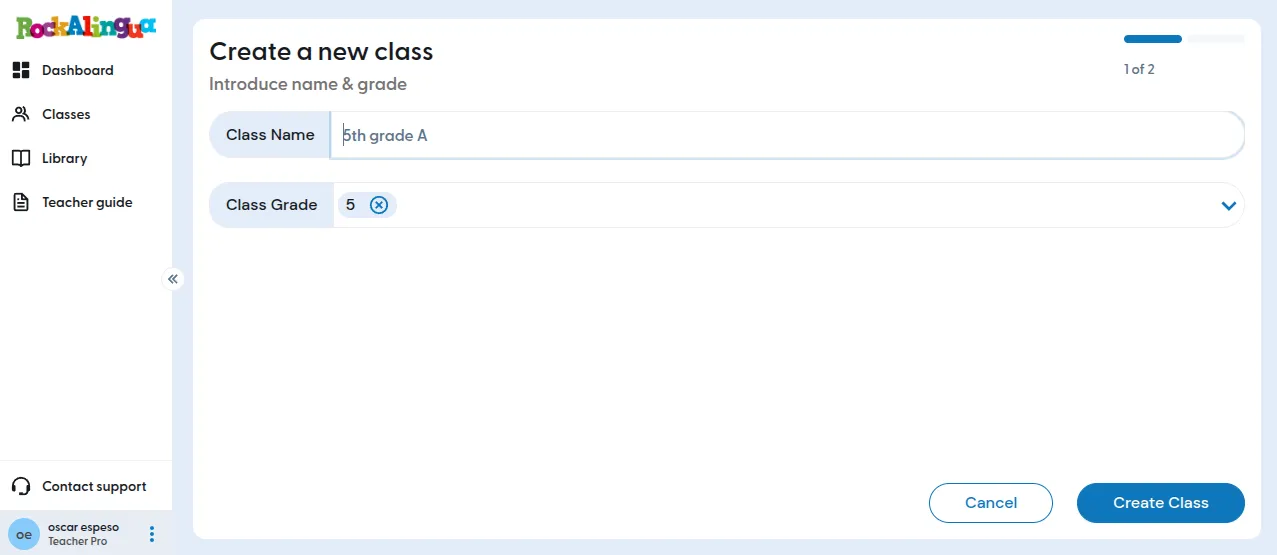
Fill in the class data and click “Create class”
-
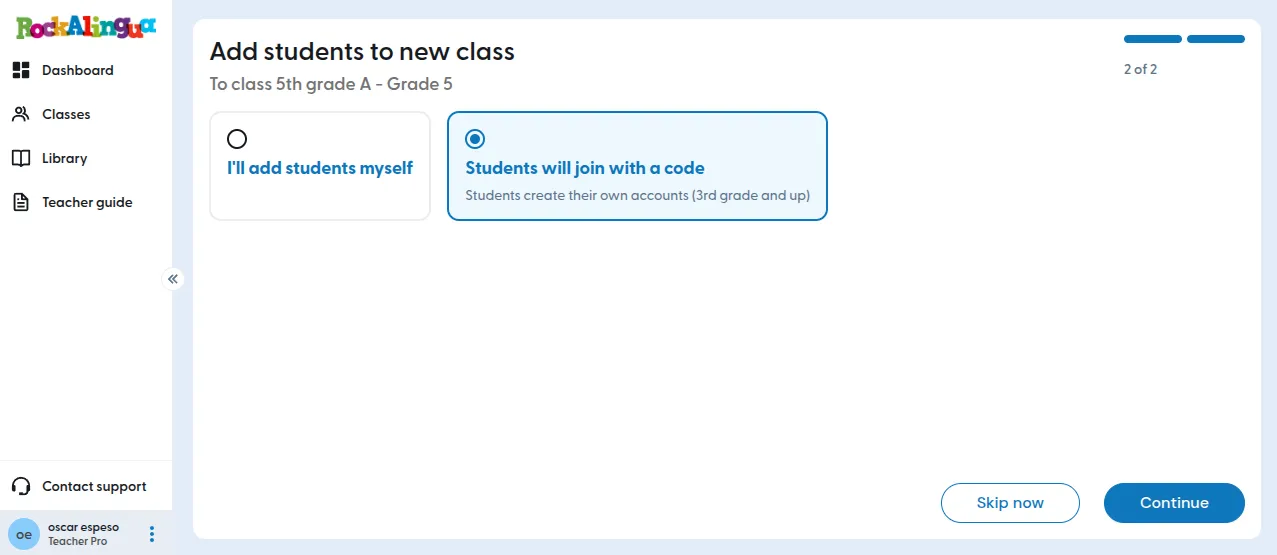
Select ‘Students will join with a code’ and click “Continue”.
-
Copy the invite code and share it with your students.
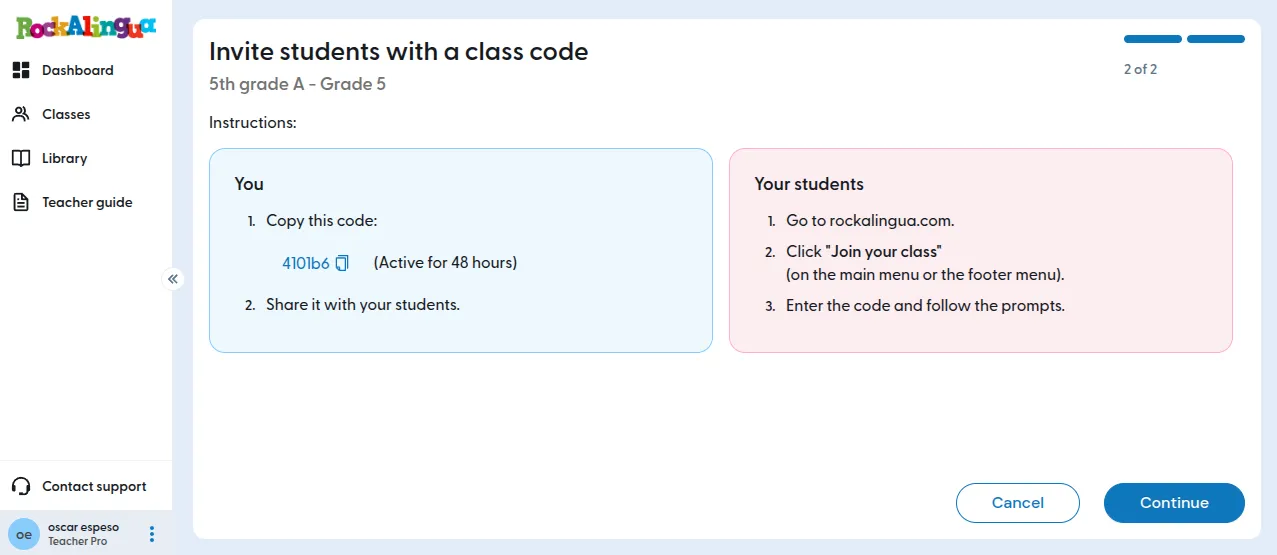
-
Click ‘Continue’.
Your class is now created. Students can join it by using the invite code.
Help students join
Section titled “Help students join”Share with your students the invite code and these student instructions: How do you join a class with an invite code?
Important:
Students should use the invite code only the first time they join your class.
After that, they should log in with their username and password.
If they use the invite code again, they may create a second account by mistake.