
How do I get an invite code for students to enroll themselves in a class?
If the class already exists:
-
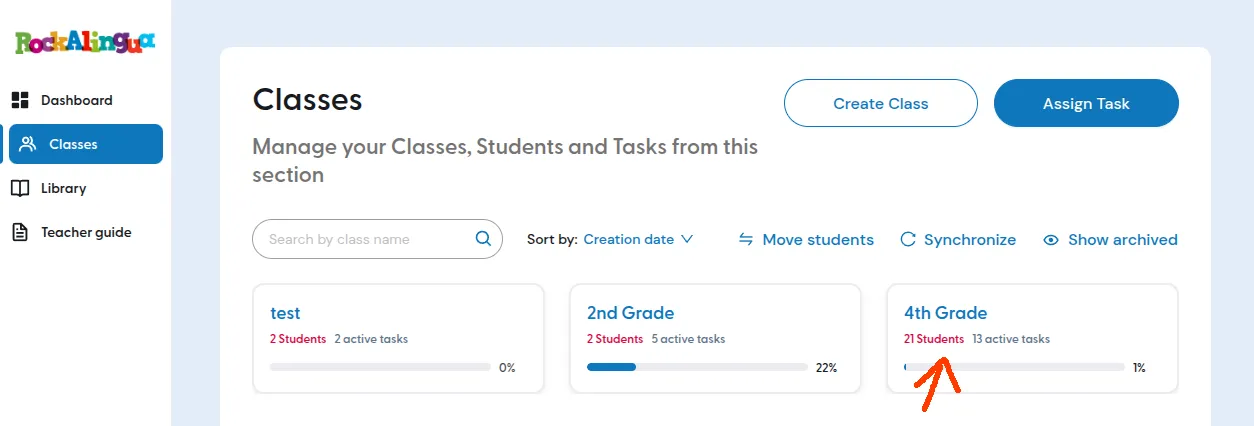
Go to “Classes”.
-
Click the class you want your students to join.
-
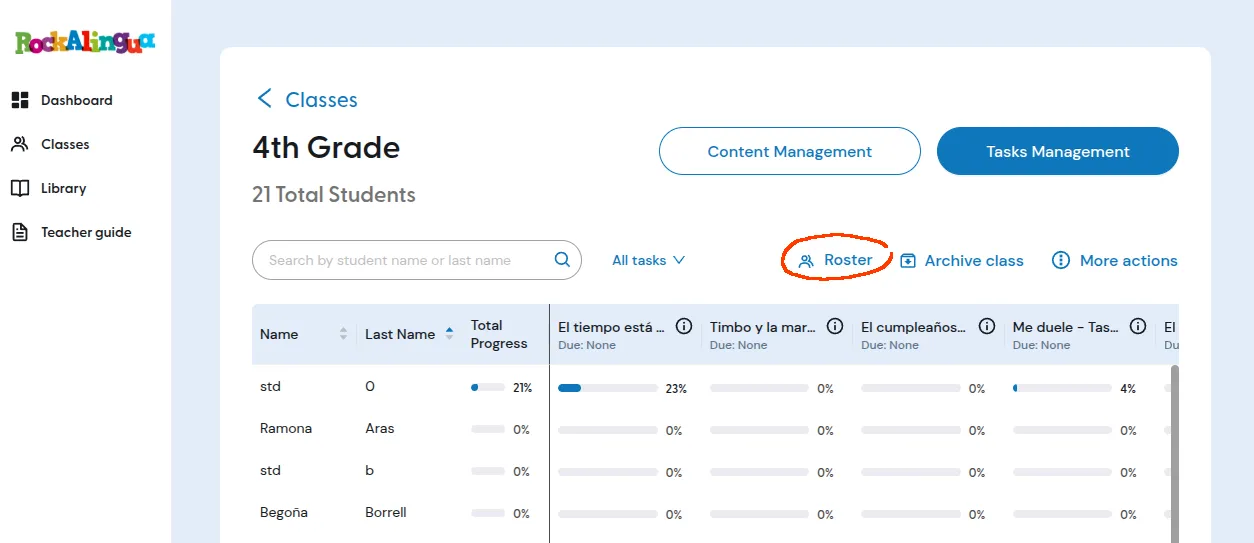
Click “Roster”.
-
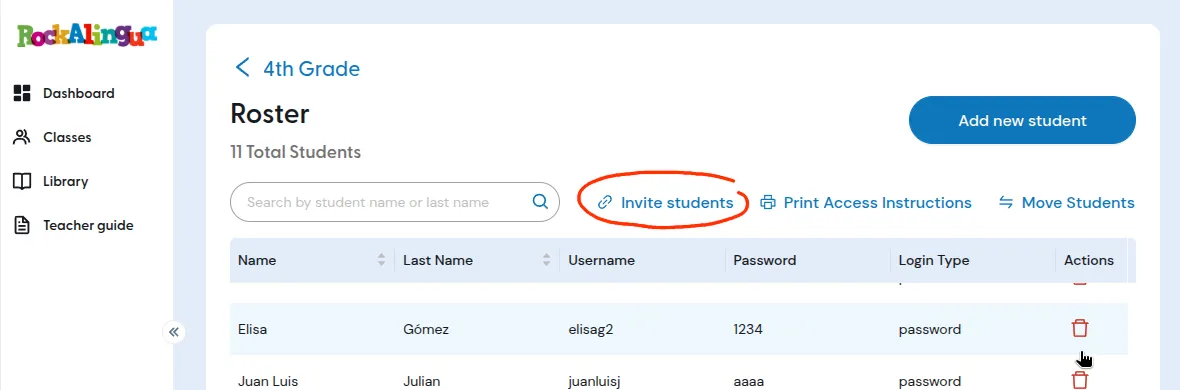
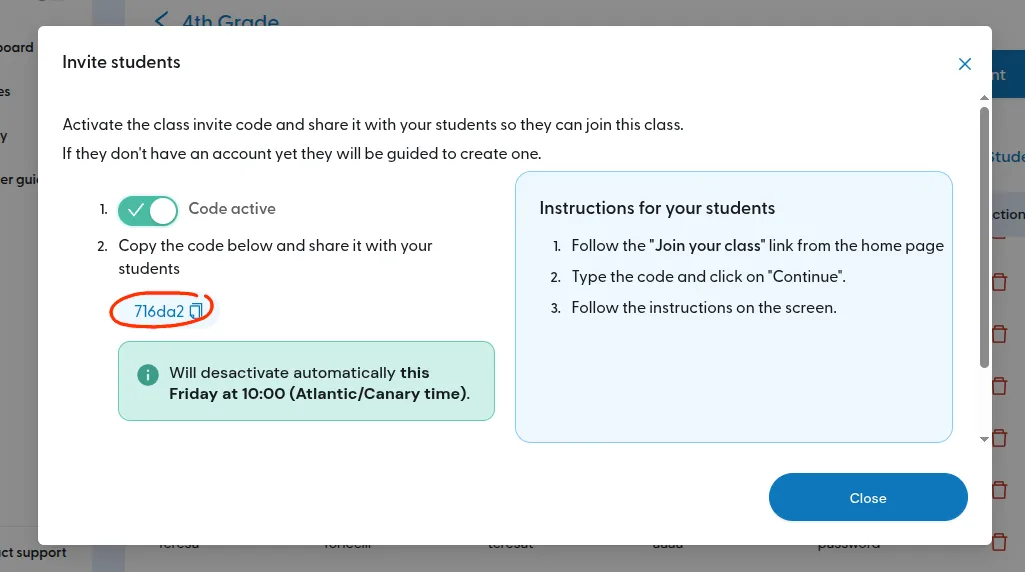
Click “Invite students”.
-
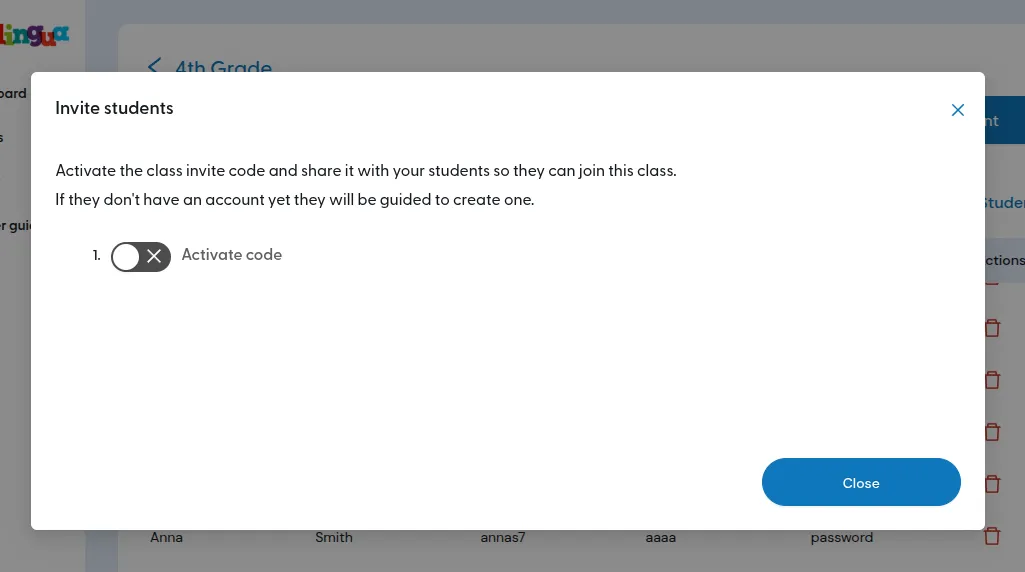
Click “Activate code”.
-
Copy the code and share it with your students
-
Explain to them how to use it or send them this link with the instructions