
My students keep forgetting their username and password. What can I do?
You can print login cards for your students.
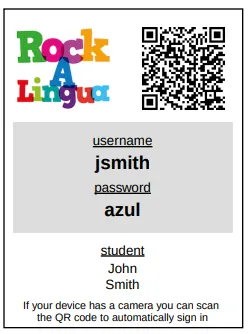
Login cards include each student’s username and password. They also include a QR code students can scan to log in more easily, if their device has a camera.
If you have a Classroom subscription
Section titled “If you have a Classroom subscription”-
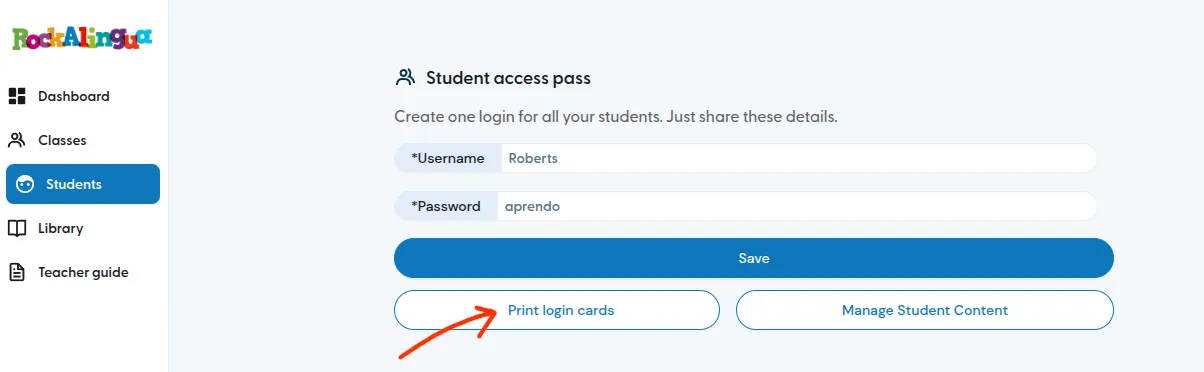
Go to ‘Students’.
-
Click ‘Print login cards’.
-
Cut out the cards and give each student their own.
Ask them to paste it in their folder.
Your students can now use the card to find their username and password when they log in.
If you have a Pro subscription
Section titled “If you have a Pro subscription”-
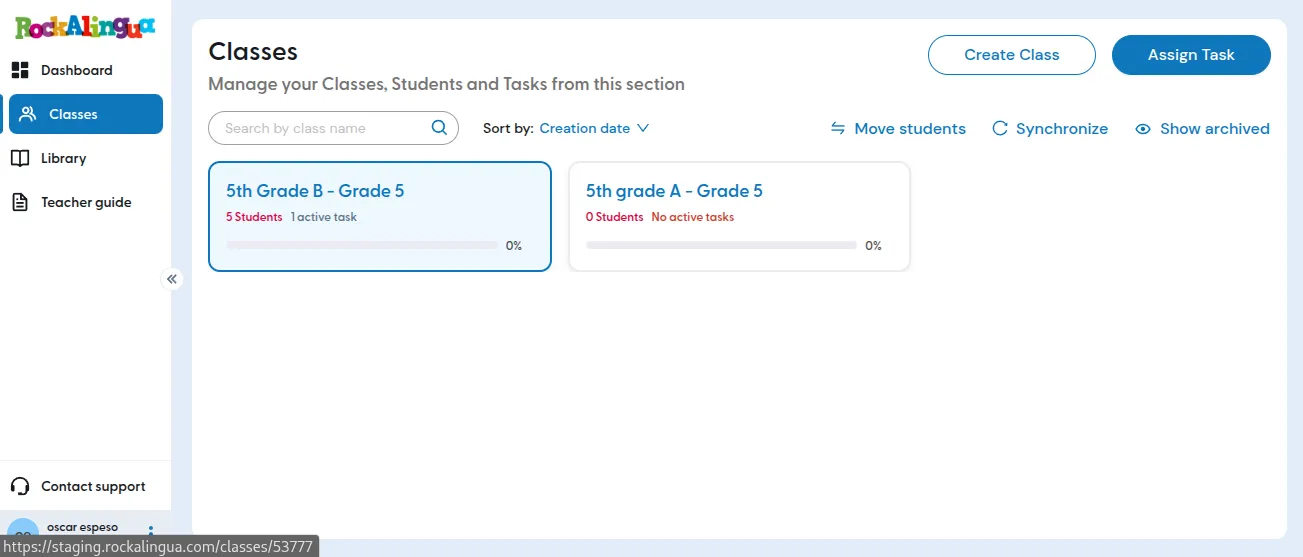
Go to ‘Classes’.
-
Click the class you want to print login cards for.
-
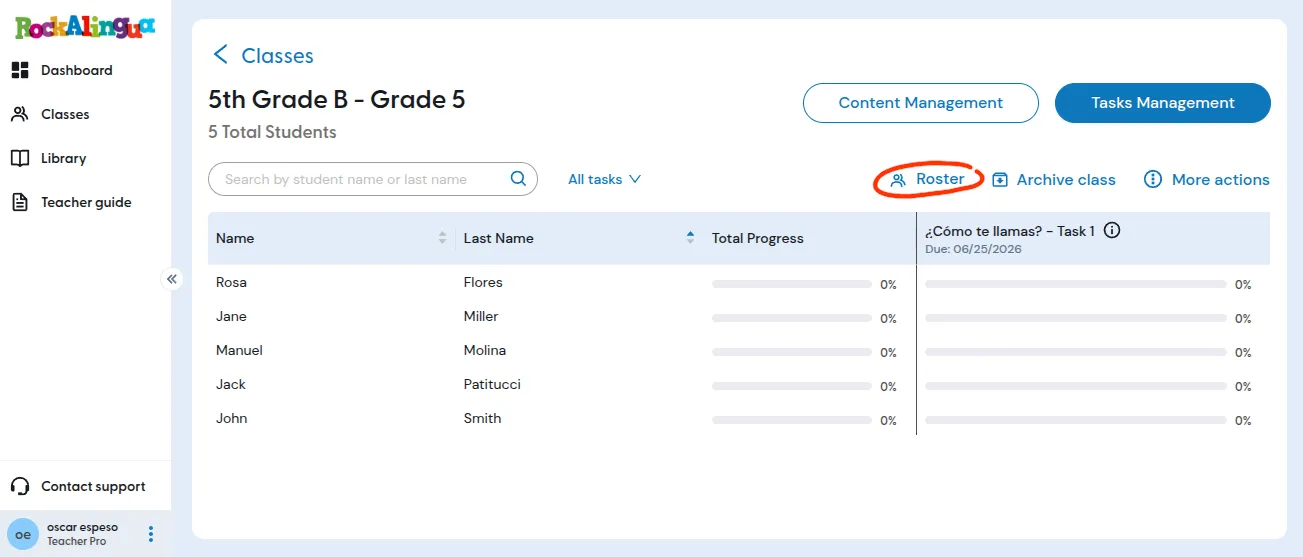
Click ‘Roster’.
-
Click ‘Print Access Instructions’.
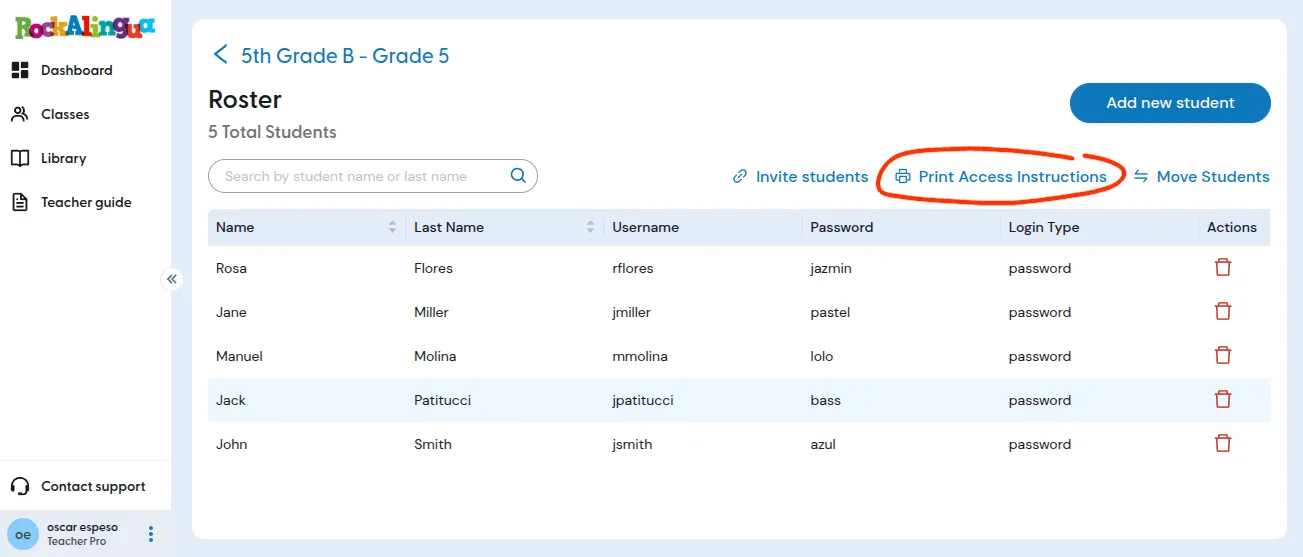
-
Cut out the cards and give each student their own.
Ask them to paste it in their folder.
Your students can now use the card to find their username and password when they log in.